Smart Deployment Strategies: Powerful A/B Testing, Seamless Canary Releases, and Safe Shadow Mode
Listen, deploying new software or machine learning models can feel like walking a tightrope without a safety net. One wrong move and boom—your users are facing bugs, your system’s down, and you’re scrambling to fix things at 2 AM. But here’s the thing: you don’t have to take those kinds of risks anymore!
Modern deployment strategies like A/B testing, canary releases, and shadow mode are basically your safety nets. They let you test new features, roll out updates gradually, and catch problems before they spiral out of control. And the best part? They’re not just for massive tech companies anymore. Whether you’re deploying a simple app update or a complex ML model, these strategies can save your bacon.
In this post, we’re gonna break down exactly how these three deployment strategies work, when to use each one, and what makes them different from other approaches like blue-green deployments. We’ll also dive into a real-world case study and give you actionable steps to implement these strategies yourself. By the end, you’ll know which strategy fits your needs and how to roll it out without breaking a sweat.
What Are Deployment Strategies and Why Should You Care?
Deployment strategies are basically game plans for getting your software from development into production. Think of ’em as different ways to introduce changes to your users without causing chaos.
Here’s why they matter: according to recent data, over 78% of organizations now use DevOps practices that include advanced deployment strategies. Companies that nail their deployment approach see fewer incidents, faster recovery times, and happier users. On the flip side, poor deployment practices are behind roughly 60-70% of production incidents.
The traditional “big bang” approach—where you just push everything live all at once—is basically rolling the dice with your users’ experience. Modern strategies give you way more control and drastically reduce risk.
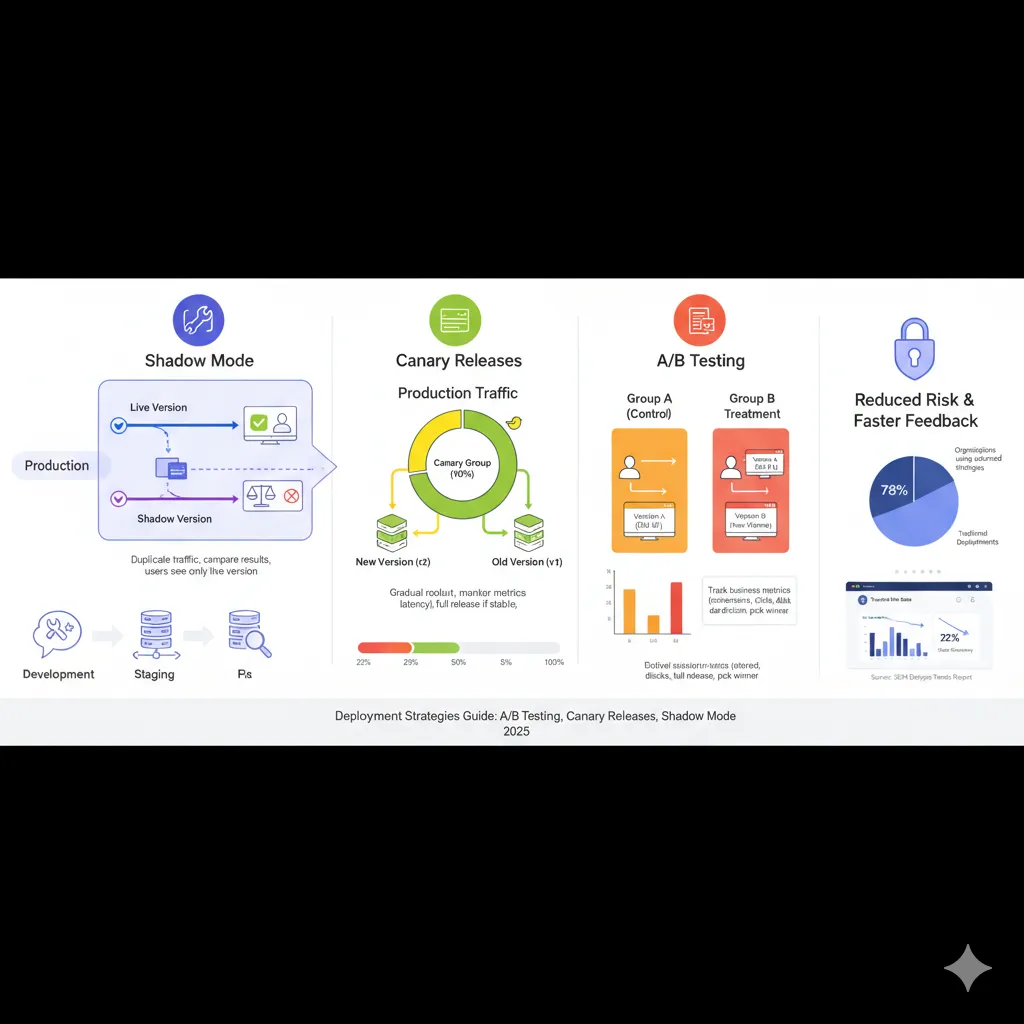
The Big Three: Shadow Mode, Canary Releases, and A/B Testing
Let’s get into the meat of it. These three strategies might sound similar at first, but they each solve different problems and work in unique ways.
Shadow Mode Deployment: Testing Without the Fear
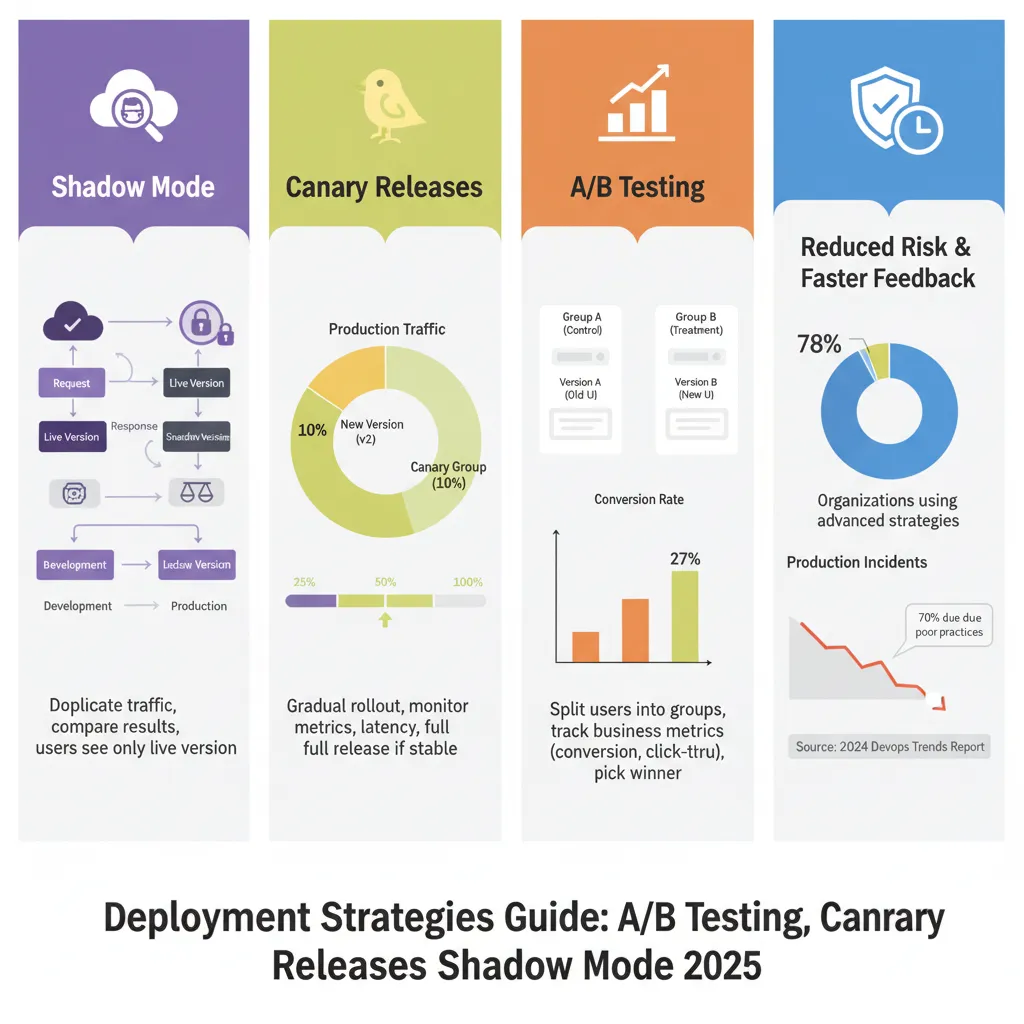
Shadow mode (also called “dark launch”) is like having a dress rehearsal before opening night. Your new version runs alongside the old one, processing real production traffic, but here’s the kicker—users never actually see the results from the new version.
How it works: Every request that hits your production system gets duplicated. The live version responds to users normally, while the shadow version processes the same request in the background. You capture and compare the outputs, but only the live version’s response actually goes back to users.
When to use it: Shadow mode shines when you’re testing machine learning models or making significant infrastructure changes. It’s perfect for situations where you need to validate performance with real-world data but can’t risk affecting users.
For example, if you’ve trained a new recommendation algorithm, shadow mode lets you see how it performs against actual user behavior without changing anyone’s experience. AWS even offers specific tools for this—their SageMaker shadow deployment supports offline, synchronous, and asynchronous approaches.
The trade-offs: Shadow mode requires roughly double the infrastructure since you’re running two systems simultaneously. You’re basically paying for extra compute, storage, and network resources. Plus, you gotta be careful with side effects—your shadow system shouldn’t trigger duplicate emails or payment transactions.
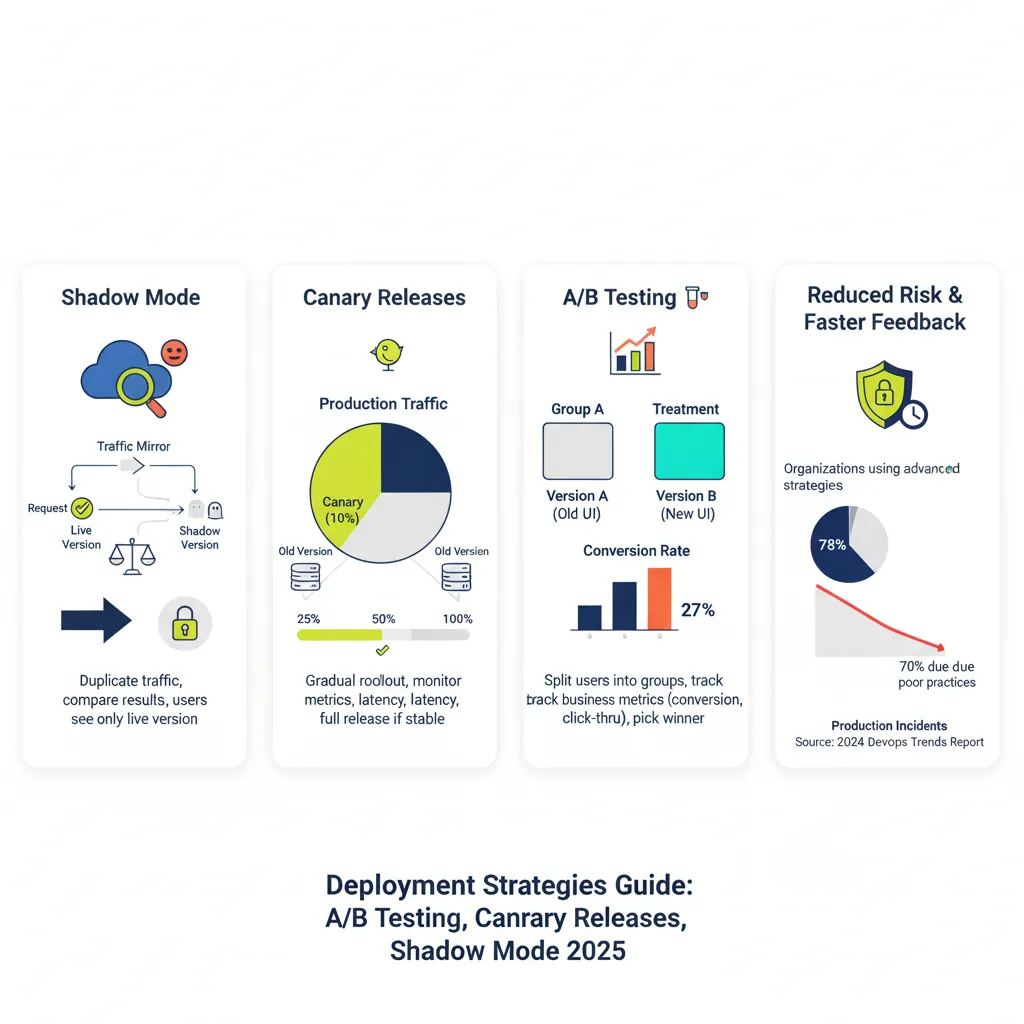
Canary Releases: Slow and Steady Wins the Race
Canary deployments are named after the “canary in a coal mine” concept. You release your new version to a small group of real users first. If things go well, you gradually increase the percentage until everyone’s on the new version.
How it works: You start by routing maybe 5-10% of traffic to the new version. Monitor closely for errors, performance issues, or user complaints. If everything looks good, bump it up to 25%, then 50%, then 100%. If something breaks, you can quickly roll back before most users are affected.
When to use it: Canary deployments are your go-to when you need to test with real users and real-world conditions but want to limit your blast radius. They’re great for consumer-facing apps where user feedback matters and you can’t perfectly replicate production in staging.
Netflix famously uses canary deployments as part of their release process. They route a small percentage of global traffic to new versions and monitor metrics like error rates and latency before expanding the rollout.
The trade-offs: Canary deployments take longer than blue-green switchovers. You might spend hours or even days monitoring before you’re confident enough to proceed. They also require sophisticated traffic routing and monitoring infrastructure. Database changes can get tricky too, since you need backward compatibility between versions.
A/B Testing Deployment: Let the Data Decide
A/B testing is less about risk mitigation and more about optimization. You’re not just checking if the new version works—you’re actively comparing it against the old version to see which performs better.
How it works: You split your users into groups. Group A sees the current version, Group B sees the new version. You track specific metrics like conversion rates, engagement, or revenue. After collecting statistically significant data, you pick the winner and deploy it to everyone.
When to use it: A/B testing is perfect when you’re experimenting with features, UI changes, or business logic where user behavior is the deciding factor. It’s especially powerful for e-commerce, content platforms, and any product where small changes can have measurable business impact.
Companies like Netflix report that 80% of content views come from their recommendation engine, which is continuously optimized through A/B testing. Hubstaff ran split tests on their homepage and saw a 49% increase in sign-ups.
The trade-offs: A/B tests require large sample sizes to reach statistical significance. You typically need thousands of users per variation to get reliable results. They’re also slower than other strategies—you need to run the test long enough to account for behavioral variations throughout the week. And unlike other deployment strategies, A/B testing doesn’t provide an easy rollback—you’re committed to running the full experiment.
How These Strategies Stack Up Against Blue-Green and Rolling Deployments
You’ve probably heard about blue-green and rolling deployments too. Here’s how they compare to our big three.
Blue-Green Deployment: The Quick Switch
Blue-green uses two identical production environments. You deploy the new version to the idle “green” environment, test it thoroughly, then flip a switch to route all traffic from “blue” to “green” instantly.
Key difference: Blue-green is all about zero downtime and instant rollback. It’s not really a testing strategy—it’s more of a deployment technique. You do your testing before the switch, not during.
When to choose it: Blue-green is great when you need absolute consistency (all users on the same version at once) and you have the budget for dual infrastructure. It’s popular in financial services and other industries with strict compliance requirements.
Rolling Deployment: The Middle Ground
Rolling deployments gradually replace old instances with new ones across your server fleet. Unlike canary, you’re not selectively routing traffic—you’re physically replacing servers one by one.
Key difference: Rolling deployments are about managing server updates efficiently. Canary deployments are about testing with real users. With rolling, all live servers are handling production traffic equally; with canary, you’re deliberately splitting traffic for testing purposes.
When to choose it: Rolling deployments work well for stateless applications with many instances where you want minimal downtime but don’t need the elaborate traffic routing of canary deployments.
Real-World Case Study: Uber’s Orchestrated Rollout Strategy
Uber provides a fascinating example of deployment strategies at scale. They manage thousands of microservices across a monorepo and deploy changes that impact hundreds of services simultaneously.
The challenge: When making large-scale changes, uncontrolled rollouts could propagate failures across critical services quickly. They needed a way to test changes gradually while protecting their most important services.
The solution: Uber implemented a cross-cutting service deployment orchestration layer with service tiering. Services are classified from Tier 0 (most critical, like core ride-matching) to Tier 5 (least critical).
Rollouts proceed in stages: less critical services deploy first. Only when they succeed does the system unblock the next tier. If failures exceed a configured threshold, rollouts halt automatically and the author gets notified to fix or revert the commit.
The results: Uber built a simulator using historical data to optimize their rollout windows. They achieved a 24-hour maximum window to unblock all cohorts, even for mid-week changes. The system performed exactly as predicted in production, validating their orchestration approach.
Key takeaway: Uber’s strategy combines elements of canary deployment (gradual rollout with monitoring) with automated orchestration and service prioritization. It shows how you can adapt these strategies to your specific scale and risk profile.
When to Use Each Strategy: A Decision Framework
Choosing the right deployment strategy isn’t one-size-fits-all. Here’s a practical framework to help you decide.
Use Shadow Mode when:
You’re deploying ML models and need to compare predictions against real data without impacting users
You’re making major infrastructure changes and want to validate performance under production load
You need to test latency, throughput, or resource usage in realistic conditions
You can afford the extra infrastructure costs (roughly 2x)
Side effects can be safely isolated (no duplicate emails, payments, etc.)
Use Canary Releases when:
You need to test with real users but want to limit risk exposure
You’re deploying consumer-facing features where real-world usage patterns matter
You can’t perfectly replicate production conditions in staging
You have good monitoring and can quickly detect issues
You’re willing to accept a slower rollout process (hours or days)
Use A/B Testing when:
You’re experimenting with features and need data to decide which is better
User behavior and business metrics are the key decision factors
You have enough traffic to reach statistical significance
You’re optimizing for conversion, engagement, revenue, or similar KPIs
You can commit to running the full experiment before making a decision
Use Blue-Green when:
You need absolute zero downtime
All users must be on the same version simultaneously
You need instant rollback capability
You have budget for duplicate infrastructure
You’re in a regulated industry requiring clear audit trails
Use Rolling when:
You have many stateless instances and want minimal downtime
You don’t need elaborate traffic routing or user-level testing
You’re making straightforward updates without significant risk
You want a simple deployment pattern without heavy infrastructure requirements
Implementation Guide: Getting Started with These Strategies
Let’s get practical. Here’s how to actually implement each strategy.
Implementing Shadow Mode
Step 1: Set up traffic mirroring
You need a way to duplicate incoming requests. Options include:
Load balancer level: Configure your load balancer (like HAProxy or Nginx) to fork traffic
Service mesh: Use Istio’s mirroring feature (designed specifically for shadow deployments)
Application level: Write code to send requests to both endpoints
Step 2: Prevent side effects
Make sure your shadow system doesn’t trigger actions that affect users:
Mock external API calls or payment processors
Disable email, SMS, and notification systems
Use read-only database connections or separate test databases
Step 3: Collect and compare outputs
Log both the live and shadow responses with clear version labels:
# Example logging structure
{
  "request_id": "abc123",
  "timestamp": "2025-11-08T10:30:00Z",
  "live_response": {...},
  "shadow_response": {...},
  "model_version": "v2.0",
  "latency_diff_ms": 45
}
Step 4: Monitor resource usage
Shadow deployments double your load. Set up alerts for CPU, memory, and network usage. Have auto-scaling rules ready.
Step 5: Analyze and decide
Compare accuracy, latency, error rates, and other metrics between versions. When the shadow version consistently outperforms (or matches) the live version, you can confidently promote it.
Implementing Canary Releases
Step 1: Set up traffic routing
You need fine-grained control over traffic distribution:
Kubernetes: Use Ingress controllers or service meshes like Istio, Linkerd
Cloud platforms: AWS ALB, Azure Application Gateway, GCP Load Balancer
Feature flags: LaunchDarkly, Unleash, Flagsmith for application-level control
Step 2: Define success criteria
Before you start, decide what “good” looks like:
Error rate thresholds (e.g., stay below 0.5%)
Latency targets (e.g., p95 latency under 200ms)
Business metrics (e.g., conversion rate within 5% of baseline)
Step 3: Start small
Route 5-10% of traffic to the canary version:
# Kubernetes example with Istio
apiVersion: networking.istio.io/v1beta1
kind: VirtualService
metadata:
  name: my-app
spec:
  hosts:
  - my-app
  http:
  - match:
    - headers:
        canary:
          exact: "true"
    route:
    - destination:
        host: my-app
        subset: v2
      weight: 10
    - destination:
        host: my-app
        subset: v1
      weight: 90
Step 4: Monitor closely
Watch your dashboards like a hawk:
Real-time error rates and logs
Latency percentiles (p50, p95, p99)
Resource utilization (CPU, memory)
Business metrics (if applicable)
Step 5: Gradually increase or rollback
If metrics look good after 30-60 minutes, increase to 25%, then 50%, then 100%. If anything looks off, route traffic back to the stable version immediately.
Implementing A/B Testing
Step 1: Use feature flags
Feature flags make A/B testing way easier:
// Example using feature flag for A/B test
const variation = featureFlags.getVariation('checkout_redesign', userId);

if (variation === 'control') {
  renderOldCheckout();
} else if (variation === 'treatment') {
  renderNewCheckout();
}

// Track the assignment
analytics.track('experiment_viewed', {
  experiment: 'checkout_redesign',
  variation: variation,
  userId: userId
});
Step 2: Calculate required sample size
Don’t wing it—use statistics:
Baseline conversion rate: 3%
Minimum detectable effect: 20% (0.6% absolute change)
Statistical significance: 95% (p=0.05)
Power: 80%
Use online calculators to determine you need ~20,000 users per variation.
Step 3: Randomly assign users
Randomization is crucial for valid results:
# Consistent hashing for stable assignments
import hashlib

def get_variation(user_id, experiment_name):
    hash_input = f"{experiment_name}:{user_id}"
    hash_value = int(hashlib.md5(hash_input.encode()).hexdigest(), 16)
    return 'control' if hash_value % 2 == 0 else 'treatment'
Step 4: Track events and conversions
Log every interaction:
Experiment exposure (when user sees variation)
Key actions (button clicks, page views)
Conversion events (purchases, sign-ups)
User attributes for segmentation
Step 5: Run long enough
Don’t peek at results too early. Run for at least one full business cycle (usually 7 days) or until you hit your sample size. Use proper statistical tests to determine significance.
Step 6: Roll out the winner
Once you’ve got statistically significant results showing a clear winner, remove the feature flag and deploy that variation to everyone.
Monitoring and Observability: The Unsung Hero
No matter which strategy you choose, monitoring is non-negotiable.
Essential metrics to track:
Infrastructure metrics:
CPU and memory usage
Disk I/O and network bandwidth
Container/pod health and restarts
Application metrics:
Request latency (p50, p95, p99)
Error rates and types
Throughput (requests per second)
Queue depths and processing times
Business metrics:
Conversion rates
Revenue per user
User engagement (time on site, pages per session)
Customer satisfaction scores
ML-specific metrics:
Prediction accuracy
Data drift detection
Model latency
Feature distribution shifts
Set up alerts:
Create tiered alerts based on severity:
P1 (Critical): Error rate >5%, latency >10x normal, complete service failure
P2 (High): Error rate 2-5%, latency 5-10x normal, capacity at 80%
P3 (Medium): Error rate 1-2%, latency 2-5x normal, non-critical errors
Use distributed tracing:
Tools like Jaeger, Zipkin, or cloud-native solutions help you understand request flows across services. This is crucial when troubleshooting issues during deployments.
Common Pitfalls and How to Avoid Them
Even with the best strategy, things can go wrong. Here are mistakes I’ve seen repeatedly.
Pitfall 1: Insufficient monitoring
You can’t manage what you don’t measure. Lots of teams deploy new versions with basic uptime checks but miss performance degradation or subtle bugs.
Solution: Set up comprehensive observability before your first deployment. Include application logs, metrics, traces, and user analytics.
Pitfall 2: Ignoring database compatibility
Canary and rolling deployments mean multiple versions run simultaneously. Database schema changes can break everything.
Solution: Use backward-compatible changes. Add new columns as nullable, keep old columns until the rollout completes, use database migration tools properly.
Pitfall 3: Not testing rollback procedures
Everyone plans for success; few practice failure recovery.
Solution: Regularly test your rollback process. Document the exact steps, automate where possible, and make sure your entire team knows how to execute it.
Pitfall 4: Sample sizes too small (A/B testing)
Running A/B tests without sufficient data leads to false conclusions.
Solution: Always calculate required sample size upfront. Run tests for complete business cycles. Use proper statistical analysis, not just eyeballing results.
Pitfall 5: Forgetting about cost
Shadow mode and blue-green deployments can double your infrastructure bill.
Solution: Budget for it or use these strategies selectively for high-risk changes. Consider teardown/spin-up automation for blue-green to minimize cost duration.
Pitfall 6: Inadequate traffic routing
Poor traffic distribution can skew canary or A/B results.
Solution: Use proper load balancing algorithms. Verify traffic is actually splitting as intended. Account for sticky sessions or caching that might affect distribution.
Combining Strategies for Maximum Impact
Here’s something cool: you don’t have to pick just one strategy.
Shadow + Canary combo:
Start with shadow mode to validate your new version with zero user impact. Once shadow testing proves the new version works well, switch to canary deployment for real user validation. This gives you two layers of confidence before full rollout.
Canary + A/B testing combo:
Use canary deployment to verify stability with a small percentage of users. Once stable, expand the canary but keep both versions running to collect A/B test data on business metrics. This way you test both technical stability and business performance.
Blue-green + feature flags:
Deploy to green using blue-green for zero downtime. Use feature flags within green to selectively enable new features for A/B testing. This separates deployment risk from feature rollout risk.
The Future of Deployment Strategies
Deployment strategies are evolving fast. Here’s what’s coming.
AI-driven deployments:
Machine learning is being applied to deployment decisions themselves. Systems can automatically adjust traffic routing based on real-time metrics, detect anomalies during rollouts, and trigger rollbacks without human intervention.
Progressive delivery platforms:
Tools are emerging that combine deployment strategies with feature flags, experimentation frameworks, and observability into unified platforms. Expect tighter integration between CI/CD pipelines and deployment orchestration.
Edge and serverless considerations:
As more apps move to edge computing and serverless, deployment strategies are adapting. Edge deployments favor strategies that work with distributed, geographically dispersed infrastructure.
Increased automation:
The trend is toward fully automated deployments with automated testing, monitoring, and rollback. GitOps practices are making deployments more declarative and easier to manage.
Wrapping It Up
Deployment strategies aren’t just fancy tech jargon—they’re practical tools that reduce risk and give you confidence when shipping code.
Shadow mode lets you test with real data without affecting users, perfect for ML models and infrastructure changes. Canary releases gradually expose real users to new versions, limiting your blast radius if something breaks. A/B testing helps you make data-driven decisions about which features actually work better.
Choose your strategy based on your risk tolerance, infrastructure budget, and what you’re trying to achieve. Don’t be afraid to combine approaches or adapt them to your specific needs.
Most importantly, invest in monitoring and observability first. Without good visibility into what’s happening, even the best deployment strategy can’t save you.
Start small, learn from each deployment, and gradually adopt more sophisticated strategies as your team gains confidence. Your users will thank you for it.
Ready to level up your deployments? Start by implementing canary releases for your next feature—it’s the most practical first step for most teams. Then gradually explore shadow mode and A/B testing as your infrastructure and processes mature.
5 Unique FAQs
1. What’s the main difference between canary deployment and A/B testing—aren’t they basically the same thing?
Not quite. Canary deployment is about gradually rolling out a new version to test stability and catch bugs before full release. The focus is risk mitigation. A/B testing is about experimentation—you’re comparing two versions to see which performs better on business metrics like conversion or engagement. With canary, you eventually want 100% of users on the new version; with A/B testing, you might keep using the “old” version if it performs better. Also, canary uses technical metrics (errors, latency), while A/B uses business metrics (revenue, clicks).
2. Can I use shadow mode deployment for applications that aren’t machine learning models?
Absolutely. While shadow mode is particularly popular for ML deployments, it works great for any significant backend change where you need production-level testing. Web services, APIs, payment systems, search engines—all can benefit from shadow testing. The key requirement is that you can safely duplicate traffic and isolate side effects. Just be aware of the doubled infrastructure cost and make sure your shadow system doesn’t accidentally send duplicate emails or charge credit cards twice.
3. How long should I run a canary deployment before rolling out to everyone?
There’s no universal answer—it depends on your traffic volume, risk tolerance, and monitoring sophistication. For high-traffic applications, you might only need 30-60 minutes at each stage if you’re watching metrics closely. For lower-traffic apps or riskier changes, you might keep canary deployments running for days to gather enough data. A good rule of thumb: run long enough to process at least 10,000 requests at each stage and wait through at least one peak traffic period. Organizations like Uber aim to complete full rollouts within 24 hours.
4. Do I need expensive tools to implement these deployment strategies?
Not necessarily. For basic implementations, you can use open-source tools like Nginx for traffic splitting, Prometheus for monitoring, and Grafana for dashboards. Kubernetes has built-in support for rolling deployments, and service meshes like Istio offer canary and shadow capabilities for free. That said, commercial platforms like LaunchDarkly, Split, or Harness can save significant engineering time if you have the budget. Start with free tools, and upgrade to commercial solutions when manual management becomes a bottleneck.
5. What happens if my canary deployment goes wrong—how do I roll back safely?
Rollback with canary is actually one of its biggest advantages. Since you’re only routing a small percentage of traffic to the new version, rolling back just means adjusting your traffic routing rules back to 100% on the old version. In Kubernetes, you’d update your Service or VirtualService configuration. With feature flags, you’d toggle the flag off. The old version is still running and handling most traffic, so rollback is instant. Just make sure your monitoring triggers alerts quickly when problems arise, so you catch issues before expanding the rollout. Always document your rollback procedure beforehand and test it regularly.