Introduction to Version Control for Machine Learning:
Imagine that you are a data scientist who just spent three weeks training a machine learning model that got 92% of the answers right. Your group is excited. But what happens when you try to get the same results a month later? Nothing is working. The model is only 78% accurate, and no one knows why.
Does this sound familiar?
You’re not the only one. A huge 87% of machine learning projects never make it to production. One of the main reasons for this is that it’s hard to keep track of, reproduce, and manage the messy mix of data, code, and models. Software engineers figured out how to fix this problem decades ago with tools like Git. Data scientists have been trying to figure it out ever since.

DVC, or Data Version Control, is what you need here. It’s like Git’s cool cousin who can really handle your 50GB datasets and billion-parameter models. By the end of this post, you’ll know how DVC works, why it’s important for ML teams, and how to start using it right away without having to get a DevOps degree.
What’s the big deal about version control for machine learning?
Let’s get to the point: why can’t you just use Git for everything?
You could try, though. Git was made to keep track of text files, like your Python scripts, configuration files, and documentation. It completely stops working when you throw a 10GB image dataset or a 500MB trained model at it. There is a reason why GitHub limits files to 100MB.
But here’s the thing: machine learning is not the same as regular software development. You are no longer just changing code. You’re juggling:
Big sets of data that change over time (new data is collected and preprocessing steps change)
Models that have been trained and are basically binary blobs that are hundreds of megabytes or more in size
Experiment setups with dozens of hyperparameters
Training pipelines with several steps that depend on each other
Performance metrics from hundreds of tests
Your results can change a lot when any of these things change. And if you can’t keep track of what changed, you can’t do your work again. That’s not good.
The ML reproducibility crisis is real. Studies show that 70–85% of AI projects fail, and the main reason is problems with data. Studies have found that 648 papers in 30 different academic fields had problems with reproducibility.
DVC: Git for Data Science
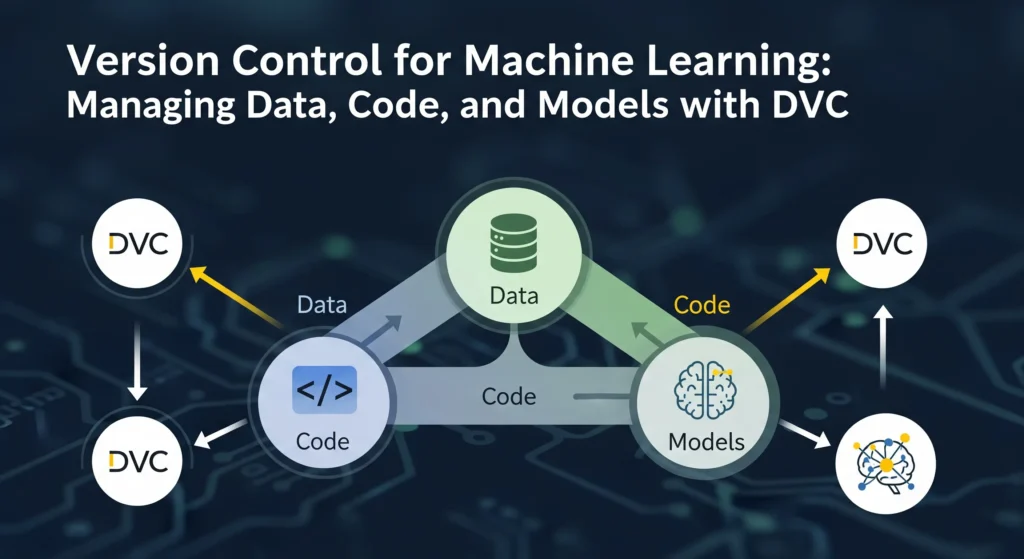
DVC (Data Version Control) was made just for these kinds of problems. The open-source community made DVC, and now thousands of people support it. DVC builds on Git’s version control features to help with the special problems that come up in machine learning workflows.
The best part is that DVC works with Git, not instead of it.
DVC takes care of your data and models separately, while Git keeps your code where it belongs. It’s like having two teammates: one is great at keeping track of code changes, and the other is great at dealing with big files.
How DVC Really Works
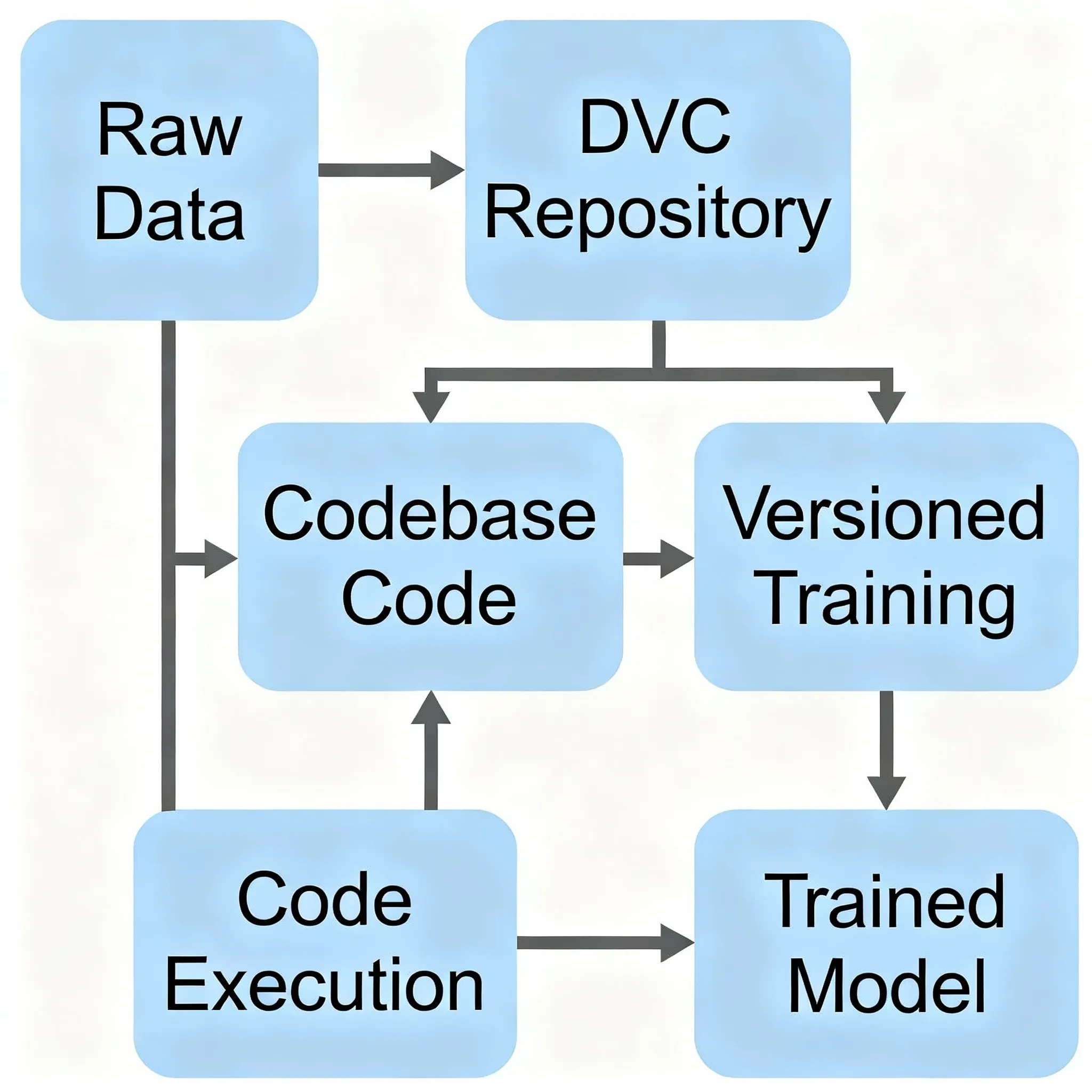
The best thing about DVC is how easy it is to use. DVC doesn’t store your real data files in Git. Instead, it makes small .dvc files that point to them. These pointer files are very small, usually only a few kilobytes, and they have:
A hash that is unique to your data file
Details about where the real data is kept
Information about the file’s metadata
Git does keep track of these .dvc files. When you commit your code, you’re also committing these small pointers that say, “This version of the code used this version of the data.”
The real information? That goes to a “remote storage” location, which could be Amazon S3, Google Cloud Storage, Azure Blob Storage, or even just a network drive. DVC does all the pushing and pulling of data to and from these remotes, just like Git does with code on GitHub.
It’s really smart.
Setting Up DVC Is Easier Than You Think
DVC is really easy to get started with, which is one of the best things about it. You don’t have to be a DevOps expert or know a lot about complicated infrastructure. I’ll show you how to do it.
Putting it in place
First, set up DVC. If you use Python (and let’s face it, you probably do), it’s as easy as:
Bash
install dvc with pipInstall the right extension if you want to use cloud storage like AWS S3:
Bash
pip install 'dvc[s3]'DVC works with many cloud providers right away, so it doesn’t matter if your team uses AWS, Google Cloud, or Azure.
`
Your First DVC Task
Let’s say you already have a Git repository set up for your ML project. The first step in setting up DVC is to run one command:
Bash
git init # if you haven't done it yet
dvc start
This makes a .dvc folder that holds DVC’s settings and cache. You should commit this initialization:
Bash
git add .dvc/config and .gitignore
"Initialize DVC" is what you should type in git commit.
Keeping track of your first dataset
Now comes the fun part: telling DVC to keep an eye on your data. Let’s say you have a folder called “data/” that has your training images in it:
Bash
dvc add data/DVC processes your data, makes a hash of it, copies it to a local cache, and makes a data.dvc file. This is the file you will send to Git:
Bash
Add data.dvc and .gitignore to git.
git commit -m "Add training data set"
DVC automatically updated your .gitignore file to keep the actual data/ folder out of Git. That’s smart, right?
Linking to Remote Storage
You need to set up a remote storage space to share your data with your teammates or back it up. Here are the steps to make an S3 bucket your DVC remote:
Bash
dvc remote add -d myremote s3://my-bucket-name/dvc-storageThis flag (-d) makes this your default remote. Now send your data:
Bash
dvc pushDVC sends your data to S3, and that’s it—your coworkers can now get it on their own computers.
To clone your Git repository, someone else just needs to run:
Bash
dvc pullAnd they will get the same data that you used. No more “it works on my machine” excuses.
Using DVC to Build ML Pipelines
DVC really shines in this area. It can handle whole ML pipelines, from raw data to a trained model, not just versioning data.
It’s like Makefiles for data science. You set up stages like “preprocess data,” “train model,” and “evaluate model,” and DVC keeps track of everything for you.
`
Setting up a Simple Pipeline
In the root of your project, make a file called dvc.yaml:
Text
steps:
  prepare:
    cmd: python preprocess.py
    deps:
      - data/raw/
      - preprocess.py
    outs:
      - data/processed/

  train:
    cmd: python train.py
    deps:
      - data/processed/
      - train.py
    params:
      - rate of learning
      - size of the batch
    outs:
      - models/model.pkl
    measurements:
      - metrics/accuracy.json:
          cache: no
This YAML file gives DVC the following information:
First, run preprocess.py, which needs raw data and makes processed data.
Then run train.py, which needs processed data and certain settings to work.
Keep an eye on the trained model as output
Log metrics for comparison
How to Run Your Pipeline
Run the whole pipeline with:
Bash
dvc reproDVC is smart enough to only run stages again if their dependencies have changed. DVC won’t waste time re-running preprocessing if you only made small changes to your training script. This saves a lot of time on big datasets.
Want to see how your pipeline works? Imagine it:
Bash
dvc dagThis is the dependency graph. It’s very useful for projects that have a lot of steps and are complicated.
Tracking Experiments: Compare Hundreds of Runs
DVC’s experiment tracking is a game-changer, and I’ll tell you why.
You know how you end up with notebook files that say “model_v2_final_ACTUALLY_FINAL_use_this_one.ipynb”? Yes, we’ve all been there. DVC’s experiment tracking fixes this problem.
`
DVC automatically records: instead of having to enter each experiment by hand into a spreadsheet:
All of the hyperparameters you used
Every score your model got
The precise versions of the data and code
Any artifacts that come out
You can run tests without having to use Git:
Bash
dvc exp run -n "trying-higher-lr" --set-param learning_rate=0.01This makes a light experiment branch in the background. Want to look at all of your experiments?
Bash
dvc exp showYou’ll get a nice table that shows all of the experiments, their settings, and their metrics next to each other. No more guessing which hyperparameters got you that amazing 94% accuracy.
The DVC extension for VS Code lets you see plots and comparisons right in your editor. It’s like having Weights & Biases built into your workflow, but you decide where everything goes.
Why Teams Love DVC: Real-World Benefits
The MLOps market around the world was worth $2.19 billion in 2024 and is expected to grow at a rate of 40.5% per year to $16.61 billion by 2030. A big part of the reason is version control tools like DVC.
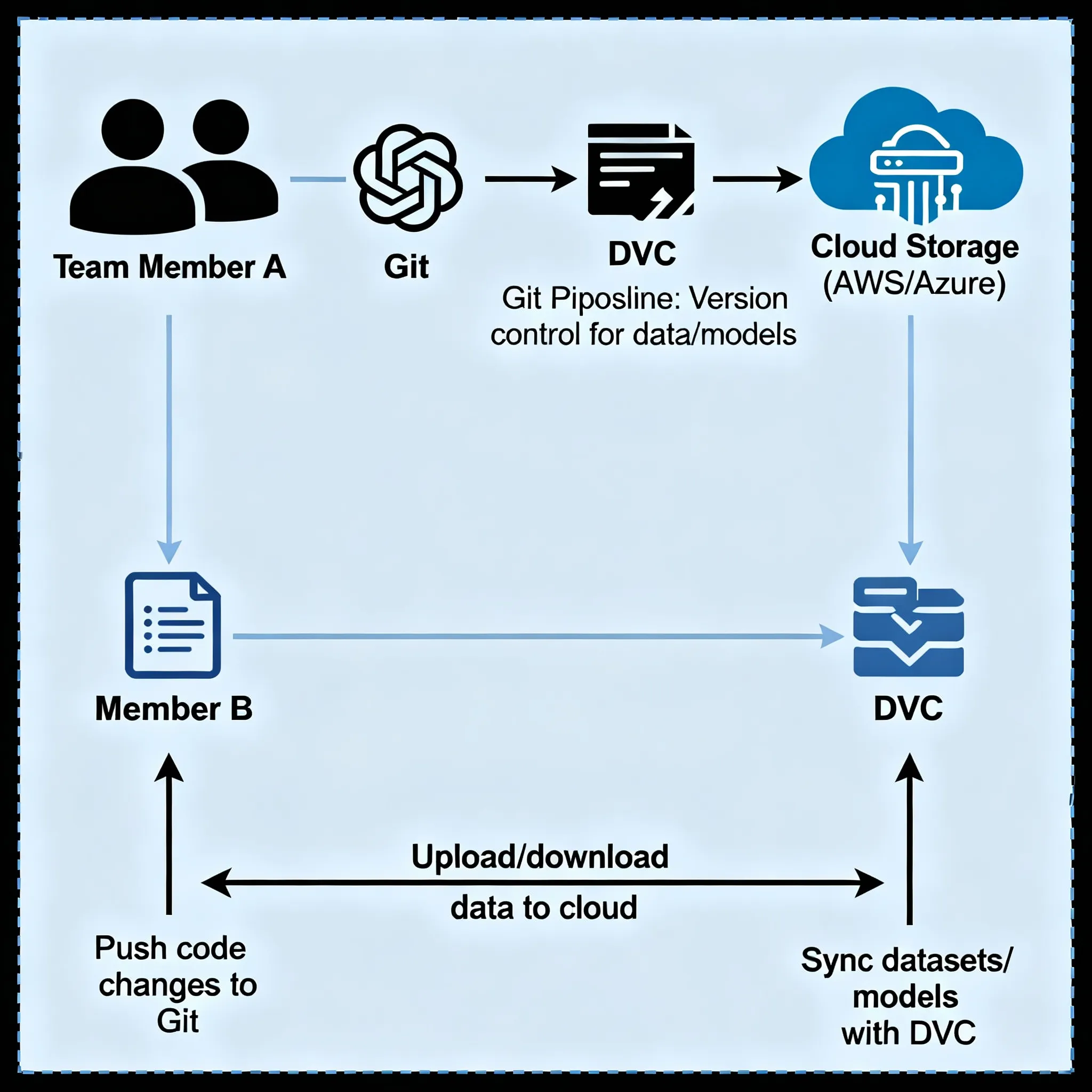
This is what makes DVC so useful for real teams:
Reproducibility Without the Trouble
Do you remember that 87% of ML projects fail? A big part of that is not being able to get the same results again. DVC lets you go back to any point in your project’s history and get the same results every time.
Your coworker can look at a specific Git commit and run dvc checkout, and their workspace will have the same data and models that you had at that time. It’s like going back in time for ML projects.
Working Together That Works
You won’t have to email 5 GB zip files anymore or argue over who has the most recent version of the dataset. Everyone on your team can:
Get the data they need
Branch out to try new things
Combine their changes again (yes, DVC can merge data)
Keep track of who changed what and when.
Storage That Grows
DVC’s remote storage integration becomes more important as datasets grow from gigabytes to terabytes. You can keep your Git repository small (no one wants to clone a 100GB repo) and still have full access to old data.
Also, DVC uses deduplication in the background. DVC only saves the differences between 10 versions of a dataset that are all the same except for a few files.
Flexibility That Works with Any Cloud
Some proprietary tools only work with specific cloud providers, whereas DVC is compatible with AWS S3, Google Cloud Storage, Azure Blob, SSH servers, and even local network drives. You make the decisions about your infrastructure.
DVC vs. Other Options
You might be asking, “How does DVC compare to other tools?”
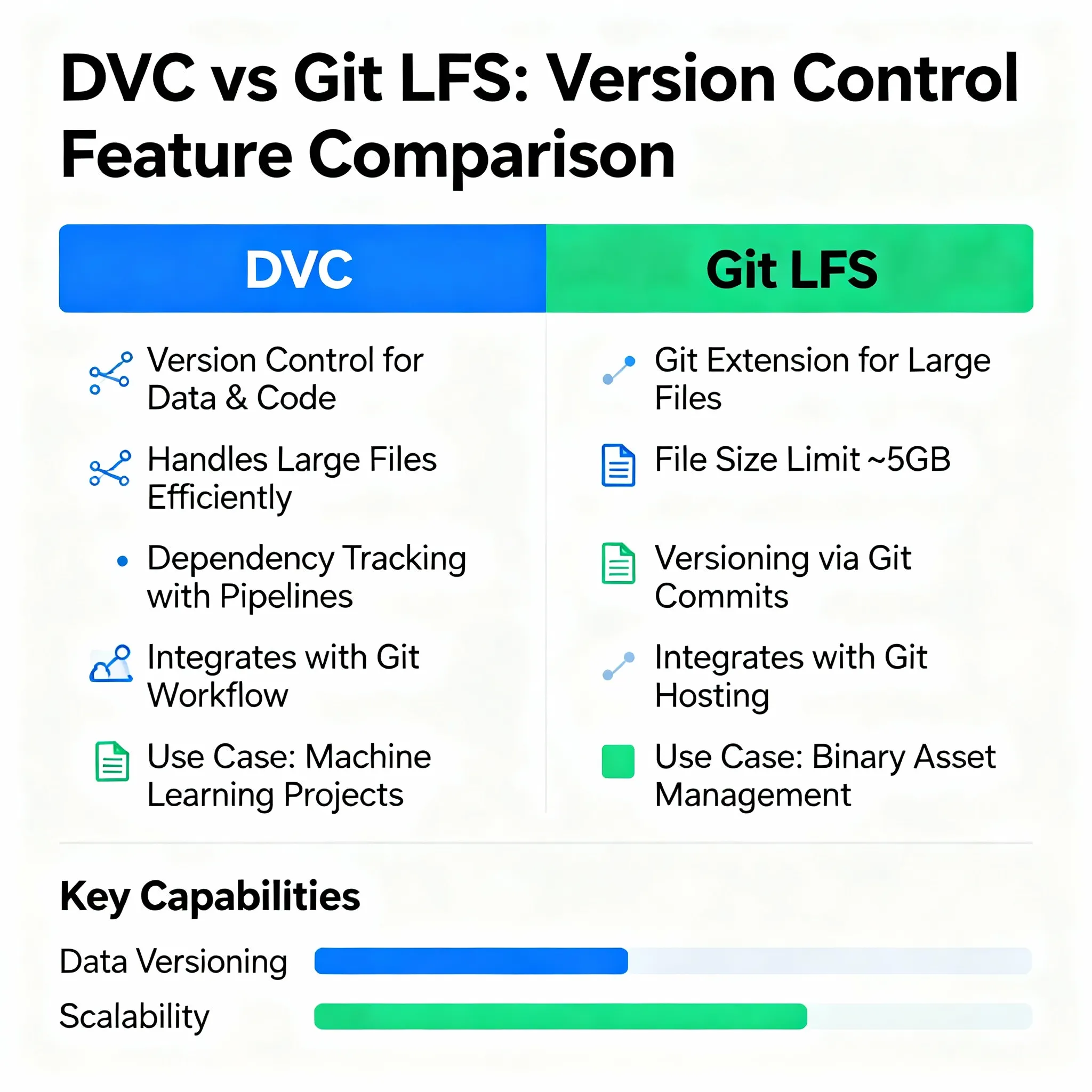
DVC and Git LFS
Git’s official way to store large files is Git LFS (Large File Storage). But it has some problems:
Most platforms, like GitHub, have a 2GB file size limit.
Needs a special server
No built-in tracking of experiments or management of pipelines
Not as good for data science workflows
DVC gives you a lot more freedom. Git LFS can’t do any of these things: store data anywhere, track entire ML pipelines, or compare experiments.
DVC vs. MLflow
MLflow is great for keeping track of experiments and putting models into use. DVC is better at keeping track of different versions of data and managing pipelines. In fact, a lot of teams use both at the same time.
DVC takes care of questions like “What version of the data did I use?” and “How do I make this pipeline again?”
MLflow takes care of “What were my metrics?” and “How do I deploy this model?”
They go together perfectly. It’s not a choice between two things.
Common Mistakes and How to Avoid Them
DVC isn’t perfect, you know. Here are some things I’ve learned the hard way:
Managing the cache for large files
DVC keeps a local copy of all the files you track. This cache can grow quickly when there are a lot of files. What’s the answer? Set up your cache location carefully and get rid of old versions that you don’t need:
Bash
dvc gc --cloud --workspaceThis gets rid of cached files that your current workspace doesn’t use or that aren’t tracked in the remote.
Remote storage can be slow.
DVC checks each file one at a time, which can make pushing thousands of small files to cloud storage very slow. What is the workaround? Before using DVC to keep track of small files, put them into tar archives.
Not a Magic Button
You need to be disciplined to do DVC. You still need to add your .dvc files to Git and remember to dvc push your data. It adds an extra step to your workflow, but it’s worth it for the ability to repeat it.
Some teams use CI/CD pipelines to automate the push and pull steps, which helps.
Things You Should Know About Advanced Features
DVC has some advanced features that will blow your mind once you know the basics.
Semantic Versioning for Models
Using semantic versioning (major.minor.patch) makes it easier to understand changes. You could version a model like this:
1.0.0 is the first model for production.
1.1.0: Added new features and made things more accurate
2.0.0 – A full change to the architecture
`
DVC lets you tag models with Git tags, which makes it easy to see which version is in use.
Integration of CI/CD automatically
You can set up your CI/CD system to automatically run DVC pipelines. When new data comes in, GitHub Actions or GitLab CI can run dvc repro to retrain models and change the metrics.
This makes the ML workflow truly continuous.
Cache that teams can use together
Set up a shared DVC cache if everyone on your team works on the same server. More than one person can use the same data files without having to store them twice. It’s like having one coffee maker in the middle of the room instead of everyone bringing their own.
Your Action Plan for Getting Started Today
Okay, you are now convinced. Here’s how to become an expert at DVC:
Week 1: Get Your Feet Wet
Put DVC in a test project
Use dvc add to track one dataset
Set up a remote, even if it’s just a local folder to start.
Do some dvc push and dvc pull practice.
Week 2: Make a pipeline
Make a DVC pipeline out of your training script
Set up stages in dvc.yaml
Run dvc repro and see what happens.
Put everything in Git
Week 3: Working Together as a Team
Let a coworker see your project.
Tell them to clone and pull the data with dvc.
Make changes at the same time on different branches.
Merge and fix any problems
Level Up in Month 2
Set up tracking for experiments
Look at 10 or more model runs with different hyperparameters.
Work with the tools you already have (like MLflow, Weights & Biases, etc.)
Set up CI/CD to run pipelines automatically.
The Bottom Line
Adding chaos to your workflow makes machine learning even harder. DVC makes sense of the chaos by giving you Git-like version control for your data and models.
Is it perfect? No. Does it need some practice? Yes. But the other option—keeping track of experiments by hand in spreadsheets, losing data versions, and not being able to reproduce results—is much worse.
The MLOps field is growing quickly (40.5% a year), and version control is a must-have for professional ML teams. Companies that use DVC say that their experiments go faster, they work together better, and they can even reproduce their results months later.
Here’s what I think: if you’re serious about machine learning and you don’t have some kind of data version control, you’re in the dark. DVC is free, open-source, and has been used by thousands of teams around the world.
Try it out. Your future self, the one who is trying to make that great model from six months ago, will be grateful.
Do Something Now
Want to improve your ML workflow? Next, do this:
To get updates on new features, star the DVC repository on GitHub.
Join the DVC Discord community, where thousands of people share tips and help each other with problems.
Start small by choosing one dataset from your current project to track with DVC this week.
Tell others about your experience by blogging, tweeting, or teaching a coworker.
When we share what we know, the data science community grows. Try DVC, and then help someone else get started as well.
FAQ’s
1. Is DVC just for machine learning projects?
DVC was made to work with machine learning, but it works great for any project that has big files and data pipelines. Some groups use it for bioinformatics, video editing, and even making things for games.
2. Can I use DVC on projects that already have data?
Yes, for sure! You can set up DVC in a Git repo that already exists and start keeping track of your data over time. You don’t have to move everything at once.
3. How much does it cost to use DVC?
DVC is free and open-source software. If you use cloud storage (like S3) as your remote, you’ll have to pay for it, but those costs are usually very low—usually only a few dollars a month for most projects.
4. What do I do if my DVC remote storage stops working?
You can keep working even if your remote isn’t available for a little while because you have a local cache. You can also set up more than one remote for backup.
5. Can DVC work with datasets that are bigger than 1TB?
Yes! DVC can handle very large datasets. Some teams use it with petabyte-scale data lakes, but at that scale, tuning performance becomes more important.