Bing Info

Tech Insights & Digital Innovation
Header Mobile Fix

Bing Info

mlops

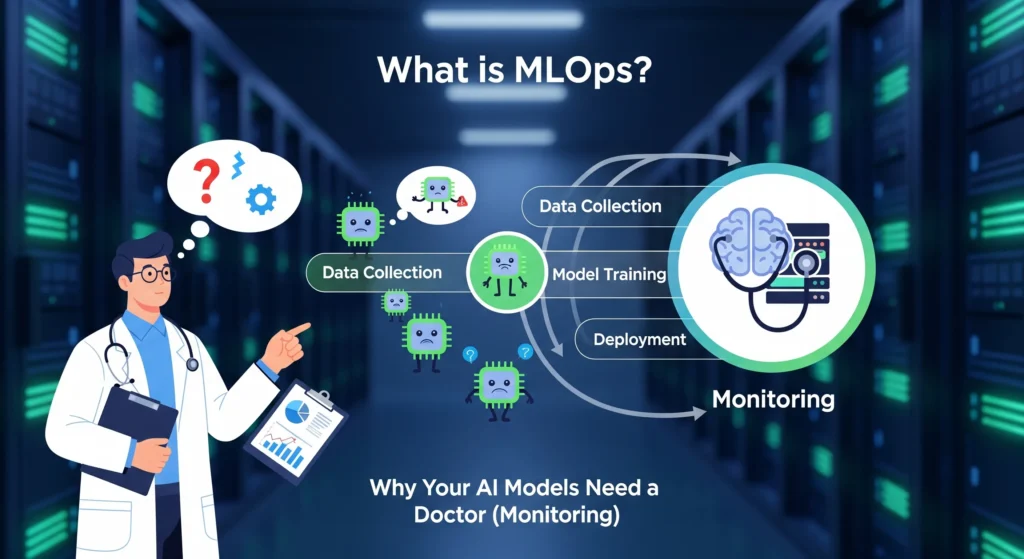
What is MLOps? Why Your AI Models Need a Doctor (Monitoring)

What is MLOps? Why Your AI Models Need a Doctor (Monitoring) You’ve built an incredible AI model. It predicts customer behavior with 94% accuracy. Your team celebrates. Six months later? That same model is making predictions so wild that your business team stopped trusting it completely. Sound familiar? You’re not alone. Here’s the kicker: 67% of AI models never even make it to production, and for those that do, 91% experience performance degradation over time. It’s like training a doctor who gradually forgets medicine. That’s where MLOps comes in—think of it as regular health checkups for your AI models. And trust me, your models need them. In this post, we’re diving deep into what MLOps actually is, why monitoring your models is non-negotiable, and how you can stop your AI from slowly losing its mind. By the end, you’ll understand exactly why your machine learning models need constant supervision (yes, just like toddlers) and what happens when they don’t get it. Let’s get started. Understanding MLOps: The Basics MLOps stands for Machine Learning Operations. If that sounds boring, stick with me—because what it does is anything but. Think of MLOps as the bridge between building cool AI models in notebooks and actually using them in real businesses. It’s what happens after the data scientist says “my model works!” and before customers actually benefit from it. Here’s the simple version: MLOps combines machine learning (the AI part), software engineering (the building part), and data engineering (the data part) into one smooth workflow. The term was actually coined back in 2015 in a research paper about “hidden technical debt in machine learning systems”. Turns out, building models is the easy part. Keeping them working? That’s the challenge. What MLOps Actually Does MLOps isn’t just one thing—it’s a whole set of practices that cover the entire life of your machine learning model. From the moment you collect data to train your model, all the way through deployment and continuous monitoring, MLOps keeps everything running smoothly. The ML lifecycle typically includes these stages: Data Collection and Preparation – Gathering and cleaning data so it’s actually usable Model Training and Testing – Building your model and making sure it works Model Deployment – Getting your model into production where real users interact with it Model Monitoring – Watching how your model performs over time (this is the crucial part everyone forgets) Model Updates and Improvements – Retraining and updating when performance drops ` Before MLOps existed, each of these steps was manual, slow, and prone to breaking. Data scientists would build amazing models on their laptops, then hand them off to engineering teams who had no idea how to deploy them. Weeks (or months) would pass before anything actually worked in production. MLOps automates all of this. It creates assembly lines for machine learning, turning what used to take months into days or even hours. MLOps vs DevOps: What’s the Difference? You’ve probably heard of DevOps. So is MLOps just DevOps with a fancy ML twist? Not quite. While MLOps builds on DevOps principles, they’re solving different problems. DevOps focuses on shipping software applications quickly and reliably. MLOps? It’s all about shipping and maintaining machine learning models, which are way more complicated. Here’s why ML models are different animals: They’re data-centric, not just code-centric. A software application is basically a set of instructions. An ML model is those instructions plus the data it learned from plus the statistical relationships it discovered. Change the data, and the whole model might need retraining. They drift over time. Your web application doesn’t suddenly start performing worse because the world changed. Your ML model absolutely does. Customer behavior shifts, markets evolve, and suddenly your fraud detection model is missing new types of fraud. Artifacts are dynamic, not static. In DevOps, you version your code and configuration files. In MLOps, you also need to version datasets, model parameters, experiment results, training configurations, and the actual trained models themselves. It’s version control on steroids. Testing is different. In DevOps, you test whether your code works. In MLOps, you test whether your model is accurate, whether it’s biased, whether the data has drifted, whether predictions are stable, and a dozen other things. Think of it this way: DevOps builds the car. MLOps builds the self-driving system inside the car—which needs constant updates as roads change, traffic patterns shift, and new obstacles appear. The good news? MLOps borrows the best practices from DevOps—like continuous integration, continuous deployment (CI/CD), and automated testing—then extends them to handle the unique challenges of machine learning. The MLOps Pipeline: How It All Works Okay, so how does this all fit together in practice? An MLOps pipeline is the automated workflow that takes your model from training to production. Instead of manually copying files and crossing your fingers, you build a system that handles everything automatically. Here’s what a typical MLOps pipeline looks like: Stage 1: Data Collection and Validation First, you need data. But not just any data—clean, validated, high-quality data. The pipeline automatically collects data from databases, APIs, or files. Then it runs validation checks: Are there missing values? Outliers? Does the data distribution look normal? If something’s wrong, the pipeline alerts you before wasting time training a bad model. Tools like Apache Airflow can schedule these data collection tasks to run automatically. Stage 2: Model Training and Experiment Tracking Once your data passes validation, the pipeline trains your model. But here’s where MLOps shines: it tracks everything. Every hyperparameter you tried. Every accuracy score. Every version of the model. Tools like MLflow and Neptune keep detailed logs so you can compare experiments and pick the best model. Stage 3: Model Testing and Validation Before deployment, automated tests check if the model meets your performance standards. Is accuracy above your threshold? Does it handle edge cases? Is there bias in predictions? If the model fails these tests, it doesn’t move forward. No more “oops, we deployed a broken model to production.” Stage 4: Automated Deployment Once

What is MLOps? Why Your AI Models Need a Doctor (Monitoring) Read More »
ai-native

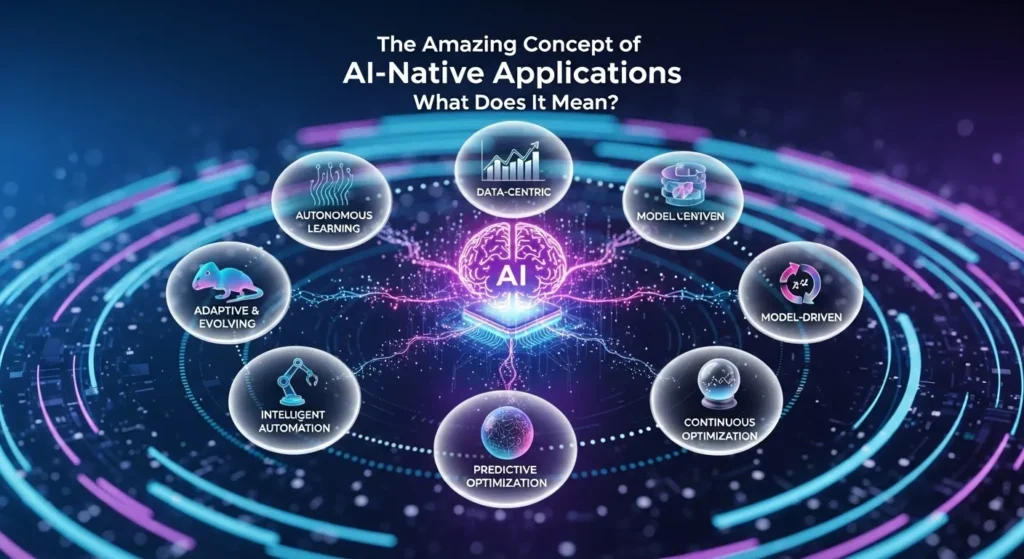
The Amazing Concept of AI-Native Applications: What Does It Mean?

What Does It Mean for an App to Be “AI-Native”? You’re not the only one who has heard the term “AI-native” and wondered if it’s just another tech buzzword. But here’s the thing: this idea is changing how we think about software, and it’s not just adding AI features to an app that already exists. Let me break this down for you. What’s the Big Deal with AI-Native? Think about the apps you use the most. They probably just added AI features, like a chatbot here and some smart tips there. That’s great and all, but it’s not AI-native. A program made for AI is very different. It’s not just an extra feature; AI is the main part. Imagine how different it would be to add modern features to an old house instead of building a new one that is made for how people live today. That’s the area we’re talking about. AI isn’t just a part of the app; it’s what makes it work. That’s what makes it really AI-native. Without the AI, the app wouldn’t be there. As an example, take a look at Perplexity. There is no product without the AI. The AI writes its own answers to every question; there are no human writers. AI-Native and AI-Enabled: They’re Not the Same A lot of people get confused here, so let’s make it clear. Apps that use AI (the “Bolt-On” way) Apps that use AI are like regular apps that worked out and got better. You take something that already works and add AI to it to make it better. It’s not a revolution; it’s a change. Characteristics: Adding AI improves features that are already there. The main product works well without AI. Most of the time, it uses AI tools that other people made. Changes happen slowly and with care. AI-enabled means that companies like Shopify are using AI to make it easier to set up a store, and Duolingo is using AI to make lessons smarter. They are improving things that already work. AI-Native Apps (Built from the Ground Up) AI-native thinking is the “start from zero” way of thinking. The product exists because AI can do things that nothing else can. What sets them apart: Learning Core: The system learns and changes all the time based on real data. Dynamic Interfaces: The UI changes to fit your needs, not a menu that stays the same. Autonomous Features: The app does things for you without you having to ask. Personalization at Scale: Each user has a different experience without having to do anything. People are searching differently because of Perplexity, creative work is now available to everyone thanks to Midjourney, and Jasper is making brand voice bigger. All of these are made with AI. The machine is the AI, not the other way around. Examples from Real Life That Make Sense Let me show you how this works in the real world. The Art Machine: Midjourney With only 11 employees, Midjourney makes more than $200 million a year. Yes, you read that right: 11 people. How? When a user tells their AI to do something, it learns more about art. Every new image it makes makes the system better for everyone. Try that with real artists. Perplexity: A Different Way to Look Perplexity has fewer than 40 employees and 40 million users every month. It doesn’t show you ten blue links like Google does. Instead, it gives you answers to your questions that are unique to you. More people search, which leads to better answers, which brings in more people. It keeps going around and around. Cursor AI: What the Developer Wants Anysphere made Cursor AI, which was worth $2.6 billion and got $105 million in January 2025. Why? It’s not just a tool for finishing code; it’s an AI-powered code editor that learns from all of your code and makes suggestions for how to fix problems based on your specific situation. The Structure That Makes It Work You can’t build AI-native apps in the same way that you build regular apps. The whole stack is different. The Main Parts Unified Compute Infrastructure: You need hardware that can handle both regular processing and AI workloads at the same time. CPUs, GPUs, and DPUs should work together instead of fighting for resources. AI Integration Across Layers: The intelligence isn’t stuck in one place. It’s in every part of the app, from how data moves around to how people use it. Self-Improving Systems: Over time, static apps get old. AI-native apps learn from every interaction on their own. No need to do it by hand. Processing in Real Time: People want answers right away. AI-native apps process everything on your device when they can, which speeds things up and keeps your data private. The Data Game People don’t talk about this enough: AI-native companies handle data in a different way from the start. They don’t add analytics after the fact. The whole system is supposed to always gather, analyze, and learn from data. What are traditional companies? They usually have to deal with broken systems, which makes it hard to combine data before they can even think about AI. Why Startups Are Going All In The numbers are pretty insane. AI-native startups made more than $15 billion a year in May 2025. And here’s another thing: 47% of AI-native companies have reached a certain size and shown that their products work in the market. Only 13% of businesses that make AI-enabled products have done this. The Unfair Advantages Do you remember that Midjourney had 11 employees? They served millions without hiring anyone. That’s the secret. AI systems do the work of hundreds of people, and each person is in charge of one. All customer requests, quality checks, and technical support are handled automatically. No extra work for custom experience: Traditional businesses have to choose between scaling and personalizing, which is not possible. Companies that are native to AI said “no” and did both. Perplexity gives each

The Amazing Concept of AI-Native Applications: What Does It Mean? Read More »

ai-and-personalization

AI and Personalization: Will Every Website and Game Be Unique to You?

Introduction To AI and Personalization:-  Imagine this: You open your favorite game, and the world within it isn’t randomly generated—it’s crafted specifically for you. The enemies are aware of your strategies. The story shifts based on your decisions. Even the difficulty adjusts to ensure you’re never bored. Then you hop onto a website, and it doesn’t resemble anyone else’s. The colours, products, and content morph as the site discerns your preferences, what you’ve engaged with, and perhaps even your current mood. Sounds like science fiction, right? What if it’s already happening? Personalization, powered by AI, is revolutionising how we interact with the digital world. From Netflix instinctively knowing your next binge-watch to video games evolving with your playstyle, we’re entering an era where systems learn from every click, pause, and interaction. The critical question, however, is whether this is the future where all websites and games become entirely individualised. And if so, what does that mean for us? Let’s dive into how AI is making all this possible, why it’s so impactful, and whether we should be excited or a little apprehensive. Why Personalization Is Taking Over First, why is everyone so obsessed with personalization? The answer is simple: it works. And we’re not talking about a slight uptick in engagement. The numbers tell a compelling story. Companies leveraging AI-driven personalization report an average 20% growth in sales revenue. Individualized product recommendations now account for 35% of all e-commerce earnings. Think about that: one-third of your online shopping experiences are the result of an intelligent algorithm suggesting something you genuinely wanted. That’s not coincidental—that’s AI learning your online persona and making informed predictions about what you’ll love. It’s more than just selling products. AI is projected to drive 95% of all customer interactions by 2025. We’re in an era where personalized websites generate 40 times more revenue per visit than non-personalized ones. Conversion rates can increase by up to 15% as AI subtly adjusts content, offers, and calls-to-action based on who’s viewing. The ultimate twist is that 80% of consumers are more inclined to purchase from brands that offer personalized AI experiences. Businesses aren’t just willing to personalize; as consumers, we now demand it. Visiting a site that treats you as just another random visitor feels archaic. Netflix, Spotify, and Amazon have set the standard, and we expect that tailored experience everywhere. The Personalizing of Websites So, how are websites becoming a one-on-one affair? It works its magic through concepts like adaptive content and real-time personalization. Think of adaptive content as a chameleon. The website’s “colors” shift, both literally and figuratively, depending on who’s viewing it. It’s not just about showing different products to different people. It involves tweaking headlines, images, layouts, CTAs (those “buy now” buttons), and even the subtle tone of the text. All of this happens in a flash, as you scroll. The essence of real-time content adaptation is interpreting user behavior in the moment. If you linger on a particular product, the site takes notice. It might display different content if you visit late at night compared to midday. Secret Escapes, a travel company, exemplifies this brilliantly. If you search for “spa retreats” and click their ad, you’re directed to a spa-oriented page, not a generic travel deals page. This strategy led to a 26% increase in sign-ups. Then there’s the data component. Websites collect data about your IP address (your location), cookies (your past visits and preferences), and your on-site behavior (how long you spend on pages, how far you scroll, what you click). All this data is fed into AI within milliseconds, determining which version of the site you should see. Some businesses are pushing this to incredible extremes. AI platforms like Fibr AI can generate thousands of 1:1 personalized landing pages at scale. Imagine an ad campaign where every single person who clicks sees a completely different page, custom-designed to match them. This isn’t the future; this is happening today. Playing Games Goes Personal (And Freaky Smart) If websites are going personal, games are taking it to a whole new level. The role of AI in games has moved beyond enhanced graphics and smarter enemies. It’s about crafting experiences that literally evolve with you as a unique player. Dynamic Difficulty Adjustment Ever felt like some games get harder or easier when you’re doing well? That’s Dynamic Difficulty Adjustment (DDA) at work. Games like “Resident Evil 4” use this to track your performance in real-time. If you’re breezing through levels, the game cranks up the difficulty—more enemies, tougher battles, fewer resources. Struggling? The game might ease up a bit to keep you from getting frustrated. This concept is pushed even further with the AI Director system in “Left 4 Dead.” This isn’t just difficulty adjustment; it orchestrates the entire pace of the game. It decides when to unleash hordes of zombies, where to place health packs, and how aggressive each encounter should be. The result? No two playthroughs are ever alike, keeping you on the edge of your seat. In “Crash Bandicoot,” adaptive level design literally modifies level layouts based on whether you keep dying at a certain point. Fail too many times? The game might introduce extra checkpoints or reduce obstacles. Crushing it? Be ready for additional challenges. Procedural Content Generation Next up is procedural generation—where AI conjures worlds, levels, and storylines on the fly. The most famous example is probably “No Man’s Sky.” The game boasts billions of unique planets, each with diverse ecosystems, creatures, and challenges, all generated by AI algorithms. You could play for years and never encounter the same planet twice. “Minecraft” operates on a similar principle. Every world starts with a “seed” (a random number), and AI uses this to generate the terrain, caves, biomes, and structures. The amazing part is that two players with the same seed will get virtually identical worlds, but change one number, and you’ll have something entirely different. It’s as if the game has an infinity of universes encoded within it, and

AI and Personalization: Will Every Website and Game Be Unique to You? Read More »

generative-ai-for-3d-worlds

Generative AI for 3D Worlds: Building Assets for the Metaverse

Introduction to the Generative AI Revolution in 3D Worlds You are in the right place, especially if you are a developer, game creator, or just curious about how virtual worlds are created. This article dissects all that you need to know about AI-driven 3D asset generation, such as the technology behind it and the tools you can begin to use today. We will discuss how companies such as NVIDIA, Meta, and Shutterstock are transforming the game and what this implies for the future of the metaverse. What is Generative AI of 3D Worlds? Let’s start simple. Generative AI for 3D worlds refers to generative artificial intelligence (AI) systems that are capable of automatically generating three-dimensional (3D) digital objects, characters, environments, and whole virtual spaces. You no longer need to employ a team of 3D artists to hand-sculpt each tree, building, or character, but can now tell the AI what you want in plain English—even provide a picture—and have it created on your behalf. Imagine it this way: recollect that we used to make pictures by hand, only? Then came cameras. Then photo editing software. We now have AI that can create novel images independently. This same evolution is taking place in 3D. The metaverse—the interdependent virtual worlds in which individuals socialize, play games, work, and shop—requires large volumes of content. It is no longer viable to make all that content the old-fashioned way. And here is where generative AI comes in as the final productivity tool. Why This Matters Right Now The timing couldn’t be better. The metaverse generative AI market is booming all over the world. It is estimated to be worth approximately $40 million in 2023. By 2033, analysts estimate it will reach an astronomical $611 million—that is an increase of more than 31 percent annually. Projected Growth of the Metaverse Generative AI Market Year Market Value (Millions USD) Annual Growth Rate (%) 2023 40 – 2033 611 31+ Yet, here is where it gets really interesting: conventional 3D modeling is challenging. Software such as Blender or Maya takes years to learn. You should get to know such intricate terms as UV mapping, polygon topology, and physically-based rendering. Using AI tools, a person with no previous 3D experience can produce production-quality assets in only a few minutes. Not only is that convenient, it is democratizing. It implies that indie game makers, small corporations, and creative people can compete with large studios. The Magic: The Technology The question is how this works. It is time to lift the hood but not to be overly technical. Text-to-3D Generation Text-to-3D is the most popular one at the moment. You enter a query such as “a medieval wooden table with elaborate carvings” and the AI renders you a 3D model of such a table. The simplified process is as below: Step 1: Understanding Your WordsThe AI uses natural language processing (NLP) to understand what to do. It determines significant objects (table), substances (wooden), styles (medieval), and characteristics (intricate carvings). Step 2: Multiple ViewsAdvanced diffusion models create many 2D images of your object from various angles. This makes the end 3D model appear nice in all directions. Step 3: 3D Geometry ConstructionAn AI involves methods such as signed distance functions (SDFs) or neural radiance fields (NeRFs) as the means of creating the actual 3D form. Imagine it as carving in digital clay, except that it works automatically. Step 4: Textures and MaterialsSet featured imageThe system uses real-world textures, colors, and material characteristics such as the look of something being metallic or matte. This involves the use of materials referred to as physically-based rendering (PBR). Step 5: OptimizationLastly, the model is optimized to ensure that it performs well in game engines and can run well on various machines. The Artificial Intelligence Bots Driving this Revolution This is made possible by a number of AI architectures: Generative Adversarial Networks (GANs): These systems are made of two competing AI systems. One designs 3D models and the other evaluates the models. It is through this competition that the quality continues to improve. Variational Autoencoders (VAEs): These are trained to shrink objects in 3D into simple codes and re-create them with variations. Diffusion Models: The most popular at the moment. Their beginnings are random noise, which is gradually honed into a meticulous 3D object. Imagine it as an artist beginning with crude drawings and elaborating them as they go. Transformers: The same technology that enables ChatGPT is now applied to 3D generation, which aids the AI in comprehending complex relations between various components of an item. The Large Powers and their Instruments NVIDIA: Leading the Charge NVIDIA has been pulverizing it with a number of ground-breaking technologies in this space. Their major splash was GET3D. Published in 2022, GET3D creates 3D textured shapes directly out of 2D images. What makes it special? It generates meshes of correct topology, i.e., the 3D models are not only pretty to view but are in fact useful in applications and in games. In a single NVIDIA card, GET3D is capable of generating 20 shapes in a second. It is madness considering the fact that a single asset in traditional modeling could take hours. Their more recent and stronger system is NVIDIA Edify 3D. Edify 3D, announced in 2024 and refined in 2025, can produce production-ready 3D assets in less than 2 minutes. It generates cleaner and simpler to edit quad meshes, 4K textures, and has built-in physical-based rendering. What is even more interesting is that Edify is based on a multi-view diffusion method. It can make multiple perspectives of what you desire at various angles and, through a transformer-based reconstruction model, it can integrate these perspectives to create a fully 3D object. This provides uniformity—no strange artifacts when the back does not match the front. Shutterstock/NVIDIA Partnership Later in mid-2024, Shutterstock collaborated with NVIDIA and introduced the first ethical generative 3D API. This service is developed as an NVIDIA Edify implementation that is solely trained on the Shutterstock library (more than

Generative AI for 3D Worlds: Building Assets for the Metaverse Read More »

curating-your-ai-toolkit

Curating Your AI Toolkit: How to Choose the Right Software

Introduction To Curating Your AI Toolkit: How to Select the Right Software (Without Losing Your Mind) Tired of feeling overwhelmed by the endless parade of “game-changing” AI tools? You’re not alone. Every day brings a new platform, a new product release, and a fresh wave of enthusiastic endorsements on LinkedIn. This leaves you with one pressing question: Which AI tool do I actually need? Here’s the truth nobody talks about: Choosing AI tools isn’t about finding the “best” one. It’s about finding the right combination for your unique situation. Think of curating your AI toolkit like assembling a custom toolbox. You wouldn’t just cram every tool imaginable into it, would you? Instead, you’d carefully select the ones that effectively address your specific needs, fit your budget, and work harmoniously together. Before diving into the vast ocean of AI, take a moment to understand the landscape. Step 1: Identify Your Pain Points (Before You Even Look at a Tool) Forget the hype for a moment. What specific, time-consuming, or frustrating tasks are you dealing with right now? What are your biggest bottlenecks? Example Pain Points: Content Creation: Struggling to generate blog post ideas, write engaging social media captions, or design eye-catching visuals. Workflow Automation: Spending too much time on repetitive tasks, manual data entry, or connecting disparate software. Data Analysis: Overwhelmed by raw data, unable to extract actionable insights, or struggling to visualize trends. Customer Interaction: Slow response times, inconsistent answers, or a lack of personalized customer support. Coding & Development: Repetitive coding, debugging, or needing to build applications without extensive coding knowledge. The clearer you are about your problems, the easier it will be to find solutions. Step 2: Explore AI Tool Categories (Know What’s Out There) Once you’ve pinpointed your pain points, you can start to see how different AI categories might offer solutions. Here’s a breakdown of common categories and examples: For Content & Communication: Writing Assistants (e.g., ChatGPT, Jasper, Copy.ai): Generate text, brainstorm ideas, rephrase content, and improve grammar. Visual Content Generators (e.g., Midjourney, DALL-E, Canva AI): Create images, illustrations, and design elements from text prompts. Meeting Assistants (e.g., Fireflies, Otter.ai): Transcribe and summarise meetings, identify action items. For Workflow & Productivity: Automation Platforms (e.g., Zapier, Make, n8n): Connect different tools and automate repetitive tasks across your applications. Project Management (e.g., Asana, ClickUp with AI functionality): Enhance task allocation, planning, and progress tracking with AI insights. For Technical Folks (Coding & Development): Code Assistants (e.g., GitHub Copilot, Cursor, Aider): Provide AI-powered code suggestions, complete lines, and find bugs. No-code Builders (e.g., Bubble, Webflow with AI): Enable users to create applications and websites without writing code, often with AI assistance for design and functionality. For Business Intelligence (Data-Driven Decision Making): Analytics Services (e.g., Tableau, Power BI): Offer AI-powered data visualization and reporting to uncover trends and insights. Predictive Tools (e.g., DataRobot, Akkio): Utilize AI to predict future trends, customer behavior, and business outcomes. You don’t need tools from every category. Select the ones that directly address your pain points identified in Step 1. Step 3: The Real Decision Factors (Beyond the Marketing Hype) Now that you understand the categories, how do you choose between specific tools? These are the crucial factors to consider when evaluating AI software: Factor 1: Ease of Use vs. Power There’s always a trade-off here. More powerful tools often come with a steeper learning curve. Feature Low-code/No-Code Tools Advanced Platforms Ideal When You lack technical knowledge, need fast results, prioritize simplicity. You have a technical team, need custom solutions, want fine-grained control. Example Users Small business owners, marketers, non-technical users. Developers, data scientists, large enterprises. Own up to your team’s skills. A powerful weapon no one can decipher is useless. Factor 2: Interoperability With Your Existing Stack This is massive and frequently neglected. An AI tool that doesn’t integrate with your other software will likely create more work, not less. Determine whether the tool integrates with: Your project management system (Asana, Notion, ClickUp) Communication tools (Slack, Teams) Your CRM (Salesforce, HubSpot) File storage (Google Drive, Dropbox) Other tools you use daily Look for platforms with strong APIs and ready-made integrations. The smoother the integration, the higher the adoption rate. Factor 3: Scalability (Planning for Growth) What works for 5 individuals may fail for 50. What can handle 100 queries a month might crumble under 10,000. Ask these questions: What happens to your data volume as it increases? Can you add more users seamlessly? Does it have a clear upgrade path? Will you encounter sudden price hikes at a certain usage level? Choose tools that will grow with you, not ones you’ll have to replace in six months. Factor 4: Data Privacy and Data Security This is non-negotiable, especially when dealing with sensitive information. Critical security questions: Where is your data stored? Who can access it? Is it used to train AI models? Does the tool comply with industry standards, CCPA, or GDPR requirements? Can you easily export and erase your information? Does it offer on-premise or private cloud options for maximum control? Free AI tools often lack the robust privacy features of paid enterprise versions. Always read the fine print. Factor 5: ROI and Cost Structure AI tool prices are all over the map. You’ll see: Freemiums (e.g., ChatGPT, Notion): Basic features are free, advanced features require payment. Subscription Tiers: Monthly or annual subscriptions with varying feature sets. Usage-based: Pay per API call, token, or generation (e.g., OpenAI API). Per-user: Prices change based on team size. Enterprise Custom: Tailored contracts for large organizations. Calculate the true ROI by considering: Subscription cost Time saved (X hours saved x your hourly rate) Revenue generated (if applicable) Training and implementation costs Support and maintenance requirements An application that saves 40 man-hours of work a month (valued at $2,000+ by most companies) and costs $500/month to operate has an excellent ROI. Factor 6: Vendor Support and Stability AI startups are popping up everywhere. Some will thrive. Others will disappear next year. Look for: Established vendors with solid

Curating Your AI Toolkit: How to Choose the Right Software Read More »

the-dark-side-of-ai-tools

The Dark Side of AI Tools: Privacy and Data Processing

Introduction of The Dark Side of AI Tools: Privacy and Data Processing Imagine the following: you are talking to an AI assistant regarding a health issue, asking her to tell you what to do as you are experiencing certain symptoms. It is as if we were having a personal discussion. However, here is the point—that apparently harmless conversation may be feeding data to huge training programs, capable of seeing through contractors transcribing conversations, or even keeping it forever in servers that you are completely unaware of. And you’re not alone in this. We are all in this brave new world of AI offering convenience but in some cases, a nightmare of privacy instead. Let’s be real for a second. The use of AI tools has been increasing in our daily lives more than we can keep pace. ChatGPT, Google Gemini, Meta AI, and dozens of others assure us that our life is going to be easier, as we are able to write an email, answer some questions, even do our homework. However, there is the black side of this tale that is not well discussed. The assistive replies are in the background which is a massive data harvesting activity that would be dizzying to your head. Today, we are going to be in-depth exploring what is actually happening to your information when you are using AI tools. You will be informed of the outrageous ways in which these systems can invade your privacy, actual cases of things that have gone wrong, the statistics that will make you think thrice before entering sensitive information in a chatbot, and, what can be done to you above all, what you can personally do. At the conclusion of this, you will have a good understanding of what you are becoming vulnerable to as well as the information you will have to be able to control your digital privacy in the era of AI. Why AI Tools are So Data Hungry? AI tools don’t work on magic. They act on data—vast volumes of data. Imagine terabytes and petabytes of text, images, videos, and all the other things. Such systems are fed on information and the more they are fed, the smarter they become. Innocent in a sound, eh? However, here the situation becomes muddy. What they are consuming are healthcare records, financial data, what you post on your social media, biometrics information such as your face and voice, and even your personal conversations. A study by Stanford University also revealed that the most prominent AI firms are already defaulting on user conversations to train their models, which is to say that your conversations are no longer off the record unless you explicitly tell them to be. This level of data collection has never been seen before. In a recent report by IBM, it was discovered that 13 percent of organizations had been breached by AI models or applications, and of the organizations that suffered the breach, a shocking 97 percent lacked proper access controls to AI. We are discussing systems that process sensitive information that is less secure than any online shopping platform. The Three Major Issues of AI Data Collection. When disaggregated, AI privacy concerns amount to three significant issues that seem to recur every time. 1. Data Overcollection: Stealing Way More Than They Need. The AI companies follow a philosophy of more is better. They glean all they find on their hands since larger datasets theoretically lead to higher quality AI. But this is a direct contradiction to the fundamentals of privacy that state that you only should collect what you really need. It can be thought of in the following way: when someone asks you some directions and he or she insists to know your bank account, health conditions, and dating habits; you will believe him or her to be insane. However, that is what is largely being done concerning AI tools. They are gathering facts that are not even relevant to your questions. A report compiled by Surfshark reveals that 32 of 35 categories of personal data identified by the Meta AI gatherer include sensitive information such as sexual orientation, religious beliefs, biometric data, and even pregnancy data. That is not making you get more answers to your questions. That is creating a dossier of your whole life. 2. Data: Unauthorized Use of Data When Consent Has Been a Joke. The following is likely to make you angry; in the majority of cases, AI tools are automatically selected to participate in the collection of data. You mean these long privacy agreements in legalese that no one can ever read? Hiding in there is the acceptance of these companies to train AI on your data, third-party sharing, and the general retention of the information, which in essence is indefinitely. Recently, LinkedIn was accused of automatically defaulting users in sharing their data with Microsoft and affiliates so that they can be trained on AI. To avoid being trained on to create AI models, users were required to manually decline before a deadline or their professional accounts and work history, posts and even resume information would be used. The information about your career is being used and being used without you actively consenting to it. This issue is even more complicated when the information gathered due to a specific use is reused in the context of the entirely different issue. One of the former surgical patients in California has found out that the photos of medical treatment were used in an AI training set. She had signed a consent form that her doctor could take the photos not to form a part of what would be used to train AI systems used by who-knows-who. 3. Data Leakage and Breaches: When Things Get Totally Out of Control. Breaches occur on a frightening frequency even when companies say that they are handling your data carefully. On May 2023, ChatGPT suffered a data breach, revealing the data of around 101,000 customers, including their social security numbers,

The Dark Side of AI Tools: Privacy and Data Processing Read More »

the-future-of-search

The Future of Search: How Advanced AI is Creating a Better Alternative to Google with Answer Engines

Here’s your blog post, well-formatted for SEO with visual elements as per your instructions. The Future of Search: Is AI Replacing Google with Answer Engines? Imagine this: it’s late at night, 11 PM, and you have a dripping faucet in your kitchen that you’re attempting to figure out how to fix. Back in the good old days (all right, it was only two years ago), you would go to Google, type in “fix dripping faucet,” and go through ten sites, digging through lengthy blog posts to assemble the answer on your own. Today? You simply type into ChatGPT or Perplexity, “How do I fix a dripping kitchen faucet?” and receive a clear, step-by-step answer within seconds. That shift right there? That is the revolution we are experiencing. The search engines are becoming answer engines, and it’s happening more rapidly than most of us are willing to admit. Any business owner, marketer, or person who relies on appearing online must know what is going on. The information-seeking process is evolving, and unless you adapt, you will be as invisible as if no one knows you. Herein, we will dissect precisely what is happening to search, the reasons why AI is transforming everything, and above all, how you can keep up with the trend. These are the actual strategies, the actual facts, and the steps you can start taking today. Traditional Search vs. AI-Powered Answer Engines Here’s a visual comparison of how traditional search engines and AI-powered answer engines present results on mobile devices. Source:Harisandcoacademy What It Is and Why You Should Care: Answer Engines Let’s start with the basics. The conventional search engines such as Google are like a very intelligent librarian. You pose a query, and they will give you a list of books (websites) where you may get the answer. You will still have to go through the process of reading all those sources until you get what you want. This is inverted by the answer engines. They do not provide a list of places to search but rather provide the answer directly. They operate on AI, which has the capability to process thousands of sources in milliseconds, comprehend what you are requesting, and provide a direct and conversational response. Imagine it’s like instead of asking someone for directions to the closest coffee shop, you ask someone to take you there. The same place, however, one spares you a lot of time and effort. The crazy part? It is not some technology that is in the future. It’s happening right now. Currently, AI Overviews by Google are featured in 16 percent of desktop searches in the United States, and this figure is rapidly increasing. AI Overviews had increased by 102% in only two months (January to March 2025). Google AI Overviews Growth (January to March 2025) Google AI Overviews Growth (January to March 2025) Numbers Don’t Lie: AI Search Is Taking Off It is at this point that things get interesting. Although Google is not making a lot of noise about AI taking over its work, the search engine is not in panic. And there is a reason for that. Google continues to serve 373 times the number of searches as ChatGPT. Whereas ChatGPT makes around 37.5 million search-like queries daily, Google digs its grave through 14 billion. That’s not even close. However, there is a twist to this matter: 95 percent of people using ChatGPT are also using Google, and only 14 percent of people using Google are using ChatGPT. This informs us of an important thing – people are not replacing Google with AI solutions. They’re using both. Digital Query Market Share Q2 2025 The real situation is that AI is increasing the search process of people, rather than completely eliminating it. Individuals are becoming comfortable with making longer and more conversational questions. They are not typing their query, “best pizza NYC”; they are asking, “What is the best place in NYC that sells pizza and can deliver late?” Google Faces Backlash: The AI Incorporation Plan Google is not sitting around and letting artificial intelligence tools take its thunder. They are combating fire with fire, and they are doing it on a big scale. The response to the ChatGPT-style search offered by Google is called AI Mode and is run by their Gemini 2.5 model. It divides complex questions into several subtopics and looks for each of them at the same time. It is like having a research assistant that is able to think simultaneously about your question and glean the most suitable answer. The results? AI Overviews currently serve more than 1.5 billion customers every month in 200 countries. It is about 18 percent of all people on earth who have access to the internet. And Google is not slowing down – they intend to reach over a billion people by the end of 2025. So this is where it becomes tricky for website owners. AI Overviews decrease the number of clicks to websites by 34.5%. When Google provides you with the answer to your question right on the search page, you will not be inclined to visit the source itself. It is easy for the users but could be disastrous for business houses that thrive on search traffic. The Emerging Conversational Search: Conversation with Machines as with Humans Do you recall having to think like a robot to get good search results? Those days are over. AI has rendered searching to be conversational, and users are enjoying it. It is anticipated that by 2030, more than half of search will be voice-based. The population is becoming accustomed to posing questions to Alexa, Siri, and Google Assistant the same way that one would to a friend. This transformation is enormous, as it alters all aspects regarding the way content should be organized. Rather than focusing on such keywords as “Italian restaurant NYC delivery,” you must consider such questions as “What Italian restaurants in NYC deliver and have good reviews?” The search is more specific, longer,

The Future of Search: How Advanced AI is Creating a Better Alternative to Google with Answer Engines Read More »

ai-for-content-creation

Game-Changing AI for Content Creation: Boost Your Blogs, Social Posts, and Emails Instantly

Introduction to The AI for Content Creation:  Ever sat at the computer screen with a blank screen and the cursor flashing its cynical gaze at you as there is a deadline looms over your head? Yeah, we’ve all been there. Be it a small-business owner attempting to keep pace with social media, a blogger with the inability to consistently publish or the marketer with too many content requests to handle, the creation of quality content seems like climbing a mountain with a small backpack of rocks. However, there is a twist to it – it is 2025, and AI has completely transformed the game. You do not have to be a Fortune 500 with a huge content department anymore. Nowadays, AI writing tools can assist you in writing a blog, a catchy social media, and a powerful email within a few seconds than you can say writer block. This post will not only take an in-depth look at the transformation of AI in content creation, the most useful tools on the market (a lot of which are free), and will guide you through the specifics of how to utilize it in creating a content strategy that will actually work. At the end, you will not only understand what AI tools best suit your needs and the available financial resources, but also have a clear roadmap of how to introduce them into your working process. Author of blog posts and social media using AI to write them. The AI Content Creation Revolution: What is really going on. In 2025, content creation has gone crazy. The world AI-based content creation is set to be valued at 12.9 billion in 2035 with the CAGR of an incredible 19.4%. This is not merely hype, it is a change in the way we look at writing. And this is the reason behind this huge upheaval: Quickness Becomes Content Quality: The old methods of content creation took hours or even days. An average of one blog post required about 4 hours to make. Now? The same post can be written in minutes by AI, and you have time to devise strategy and maximize it. The Personalization Game: Modern AI does not spit out generic content. Such tools as Anyword or Copy.ai get to know your brand voice, analyse your audience, and make the content that actually works. Scale Without Sacrifice: Small teams are already able to create content on the level of an enterprise. 90 percent of all content marketers are planning to adopt AI in 2025, compared with only 64.7 percent in 2023. However, the thing here is what everyone is not saying about, and that is that magic is not the substitution of human creativity. It’s in amplifying it. The most successful content creators in 2025 will no longer be writers only: they will be people partnering with AI and being aware of how to prompt, edit and optimize the content to something that is truly interesting. The Artificial Intelligence Content Creation Landscape. The reality of what AI Content Tools do. Consider AI writing tools as remarkably intelligent writing assistants. They do not only produce text, they know context, consistency and are able to adjust to other formats and audiences. Current AIs content tools process: Blog posts of the long form that are well structured and optimized. Content on social media that is specific to the platform. Personalized messages sent through email. Conversion-driving product descriptions. Performance optimized performance ad copy. The Magic behind the Technology. The majority of the most popular tools today are ones that are driven by large language models (LLMs) such as GPT-4, Claude, and model-specific proprietary. These systems are trained on large quantities of data and are able to discern nuance, tone and even context in a manner that previous AI simply failed to do. What makes 2025 different? Multi-modal capabilities. Text generation has been included in image creation, SEO analysis, and performance prediction on a single platform. Comparison of the main popular AI content creation tools and their prices and main features. The Heavy Hits: Best AI Content Generation Tools. Copy.ai: The Go-to-Market Powerhouse. Copy.ai has really gone beyond mere copywriting. It is now the first Go-to-Market AI Platform which simply translates to the fact that it is intended to be used by businesses that require scaling their overall content and sales process. What makes Copy.ai special: Brand Voice Learning: Choose the sample of your writing, and it accurately reflects on your tone. Workflow Automation: Design complete content pipelines, not a single piece. Team Collaboration: Designed with team-based permission and workspaces. Pricing Reality Check: Copy.ai is not the most affordable, with its base price of $49/month. However, when companies are determined to scale content, the ROI may be gigantic. Conversion rates on landing pages made with the help of AI increase 36% according to the users. Writesonic: The King of Templates. Writesonic has 80+ AI writing templates, it is a Swiss Army knife of content creation. You want a YouTube script, a product description, or a LinkedIn post there is likely to be a template to that. Standout features: Instant Article Writer: Article generator: write 10-second posts on a topic in a blog. Article and Blog Writer AI: Long-form writing in detail. Browser Extensions: Take notes anywhere on the Internet. 1-click WordPress Export: Post to your site. The Price Tag: They cost as low as around $19/month, so it is affordable to solopreneurs and small teams. Rytr: The Low-Cost Powerhouse. It is at this point that things become interesting. Rytr is exceptional and has free plan (10,000 characters per month) and paid plans that easily translate to as low as $9/month. Why Rytr stands out: 40+ Use Cases: Blog posts to song lyrics (no faking). Tone Customization: Customize tones on various clients or projects. Plagiarism Checker: Originality Checker. Multi language Support: Compose in 30+ languages. Real Talk: Rytr is ideal at this price due to its ability to fit freelancers, small businesses, or anybody trying the AI content

Game-Changing AI for Content Creation: Boost Your Blogs, Social Posts, and Emails Instantly Read More »

how-to-automate-your-life-ai/

How to Automate Your Life: AI with Email, Scheduling, and Summarising.

Introducing to How to Automate Your Life: AI with Email, Scheduling, and Summarising. Imagine the following: You wake up in the morning on Monday and get 47 emails in your inbox. There are three meeting requests that should be answered. There are two documents which should be reviewed and summarized. Your schedule is a mash-up of conflicting engagements. When you are finished manually sorting stuff out, it is already lunch time and you are not even on to your actual work. Sound familiar? You’re not alone. The daily time spent by the average knowledge worker in dealing with emails is 2.5 hours a day. That is more than 12 hours a week—almost an entire workday wasted in inbox madness. But what if I informed you there was an option of regaining those hours? What would it harm to use AI to eliminate the boring stuff in order to concentrate on something really important? This post will discuss the ways that artificial intelligence can change your everyday workflow with smart email management, automated scheduling, and document summarization that happens in lightning time. The Email Revolution: Your New Artificial Intelligence Assistant. The reason why email management is more important than ever before. Some truths about email: It is not going away. Slack, Teams, and a dozen other communication tools did not replace email, which is still the cornerstone of professional communication. It is not email but our approach to it that is the problem. It is demonstrated that AI email administration applications can save consumers as much as 2 hours each day. That’s 10 hours per week. Consider what you will do with an additional 10 hours. Applying AI to automate the emission of email summaries of blog posts on the basis of the Google Sheets in OpenAI to Gmail. Source: YouTube SaneBox: Intelligent Email Sorter. SaneBox is a personal assistant that does not sleep. This AI-based tool would not have to sort your emails manually, but instead learns your ways of doing things and will automatically sort your messages into various organised folders. Here’s how it works: SaneLater removes less significant emails off your inbox. SaneBlackHole blocks forever unwanted senders. SaneReminders reminds you about emails that you have not responded to. SaneNews maintains newsletters and urgent messages as different. The best part? SaneBox is compatible with any type of email company – Gmail, Outlook, Apple Mail, and so on. There is no necessity to change platforms and implement new interfaces. Shortwave: The AI-Native Email Experience. And in case you would like a more radical one, Shortwave is a reinvention of email in its core. This is not another email app that has been AI-enabled; it is an artificial intelligence-based app. Key features include: Search emails instantly with the help of AI. Intelligent email packages combining connected messages. Essay mill technology that is similar to your own writing. AI-based automatic meeting scheduling. One user referred to it as ChatGPT in your email. The artificial intelligence assistant can process complicated commands such as “Book an appointment with the marketing team next week” or “Overview this email thread and point out actionables.” Artificial Intelligence (AI) Email Time Savings per day.Source: Amazonaws Free AI Email writing Tools that actually work. Unwilling to spend on high-quality equipment? Even a few free alternatives can make your email game: The AI Email Writer is an email generator that produces professional emails immediately by QuillBot. All you have to do is to say what you require, and it will make you a draft looking just as polished as you desire. The AI Features of Grammarly are more than the spell-check. The tool can compose whole emails, recommend the way to do it better and even make the tone correspond to the situation. ChatGPT and Gemini are remarkably effective in writing emails. Design templates of usual answers, and tailor them on a case-by-case basis. Scheduling madness to AI-Powered Scheduling Bliss. The Scheduling Problem What is the amount of time you waste on calendar tetris? Email exchanges in a bid to establish a meeting slot that would suit all parties. Dotting various calendars and addressing time zone issues. AI scheduling applications eradicate all of this friction. You leave the whole coordination of schedules to artificial intelligence instead of performing it manually. AI-based interview scheduling automates the interactions with the candidates, synchronisation of the calendar, and reminders to conserve recruiter time. Source: Cloudapper Outlook Copilot by Microsoft. Copilot also provides powerful scheduling capabilities, in case you are already using Outlook. The AI assistant can: Produce invitations to a meeting based on natural language requests. Discover the best time to meet with more than two people. Automatically create meeting agendas. Send follow-up reminders. Sample prompt: Set a meeting with Sarah and Tom to review their progress quarterly within a month with travel time. Reclaim.ai: The Calendar Optimiser. Reclaim.ai goes one step further to protect your deep work time by ensuring that you schedule it in. The AI analyses your calendar patterns and automatically: Blocks create time to work on significant projects. Rescheduled meetings are made flexible upon conflict occurrence. Associate’s personal and work schedules. Makes your schedule more energy efficient. Users claim that they save 7.5 hours per week with smart calendar management. Clockwise: Team Scheduling Made Simple. Clockwise provides AI-based coordination to teams that have issues with meeting overload. The platform: Establishes teams with joint areas of focus. Moves flexible meetings automatically to maximise the productivity of groups. Data integrates with Google Calendar and Slack. Offers an insight into patterns and productivity of meetings. Document Summarisation: Through Information Overload to Clarity. The Information Avalanche We’re drowning in documents. Research reports, email conversations, meeting notes, articles on industry—there is too much to read and work on manually. AI summarization applications eliminate the noise, reducing long documents to insights to be acted upon within seconds. An example of the AI technology automatically summarising a PDF document. Source: Jotform Top AI Summarisation Tools The Summarizer provided by QuillBot supports different types of content and

How to Automate Your Life: AI with Email, Scheduling, and Summarising. Read More »