Bing Info

Tech Insights & Digital Innovation
Header Mobile Fix

Bing Info

the-feature-store

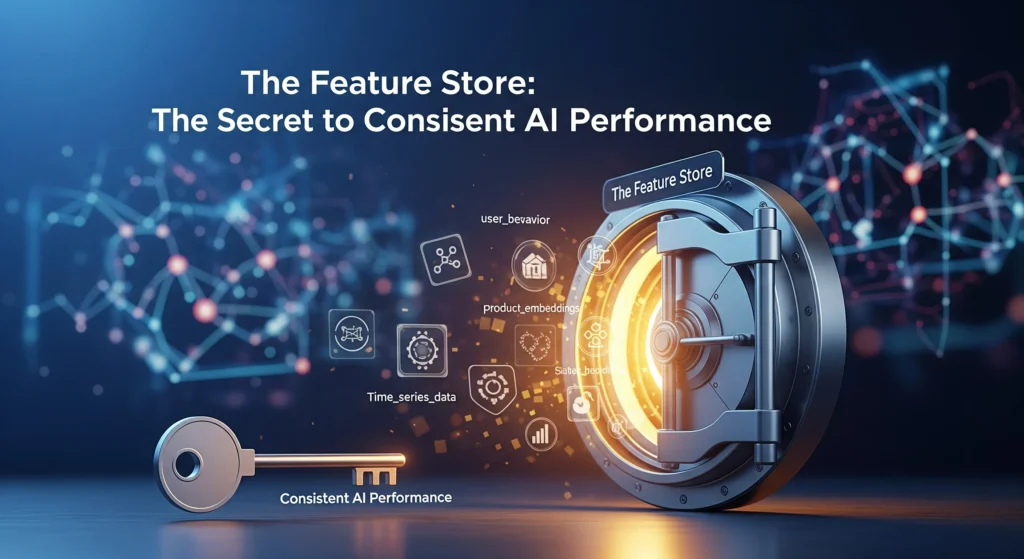
The Feature Store: The Secret to Consistent AI Performance

Introduction: The Feature Store: The Key to AI That Works Every Time You know that awful feeling when your ML model works perfectly in development but fails in production? Yes, we’ve all been there. Who did it? Features that don’t always work the same way. Your data scientists spend weeks making the perfect features for training, but then engineering teams have to build them all over again for deployment. Different logic, different timing, and different outcomes. It’s like playing telephone with your data; by the time it gets to production, the message is all messed up. That’s where feature stores come in, and they are really changing the way AI teams work all over the world. What Is a Feature Store, Anyway? Let’s stop using technical language for a moment. Think of a feature store as a library where all of your machine learning features live, breathe, and are served to your models. It’s not just a place to keep things. It’s a whole system that keeps track of, manages, and delivers the same features to both your training pipelines and your production models. Here’s what makes it special: instead of data scientists and engineers working in separate groups and making the same features twice with slightly different ways of doing things, everyone uses the same source. One definition, one way to do things, and the same results every time. Taking Apart the Parts A feature store isn’t just one thing; it’s a collection of parts that work together: The Feature Registry is like a list. It keeps track of all the features you’ve made, who made them, when they were last updated, and how they’re calculated. Think of it as your encyclopedia of features. The Offline Store takes care of old data. This is where you keep a lot of feature data for training models and making batch predictions. It’s made to handle a lot of data, not to be fast, and it usually lives in data warehouses like Snowflake, BigQuery, or S3. Speed is what the Online Store is all about. This is where your model looks when it needs features to make predictions in real time, like finding fraud in milliseconds. We’re talking about Redis, DynamoDB, or other databases with low latency that can serve features in less than 10 milliseconds. Feature Pipelines link everything together. They turn raw data into features and make sure that both stores are up to date. Why Your ML Team Needs This Right Now Come on, it’s hard enough to make ML models. But keeping them running in production? That’s where teams really have a hard time. The Problem with Training and Serving Skew This is probably the most annoying thing about ML in production. Your model learns patterns during training by looking at certain features. But if those features are calculated even a little bit differently in production, your model’s accuracy goes down the drain. Think about training a fraud detection model with a customer’s “average transaction amount over 30 days.” You do the math perfectly when you train it. But in production, someone accidentally codes it as “average over 15 days.” Now your model is making decisions based on inputs that are completely different from what it learned. Not good. Feature stores get rid of this problem by making sure that the same logic for computing features runs everywhere. Time is money (for real) It’s not talked about enough that data scientists spend 60–80% of their time on feature engineering. That’s weeks of work, and a lot of the time you’re just making features that are already in use somewhere else in the company. With a feature store, one person makes a feature, writes down how to use it, and then everyone can use it. The fraud team, the personalization team, or anyone else who needs it can use your recommendation team’s “user engagement score” again. Companies say that after using feature stores, their time to production is 40% faster. That’s a big change that will change the game. Trust is built on consistency. It’s impossible to be consistent when features are spread out over notebooks, scripts, and different codebases. Different teams figure out features in different ways. Over time, definitions change. No one knows for sure which version is “right.” Your one source of truth is a centralized feature store. Features are documented, versioned, and the same in all environments. Your CFO wants to know about that ML model that predicts when customers will leave. You can really say what data went into it and when. How Myntra Made Personalization Work in the Real World Let’s look at a real-life example that shows how useful feature stores can be. Myntra, India’s top online fashion store, had a common problem: how do you make shopping experiences unique for millions of customers without your systems crashing? The Problem During peak sales times, they were handling over 500,000 users at once and 20,000 orders per minute. Their machine learning ranking models had to quickly pull hundreds of features about users, products, and interactions without making customers notice any lag. Their original plan to use Redis for feature lookups was not working. The system was too slow, which made things worse for the user. Because the feature store couldn’t keep up, customers were getting generic homepages instead of personalized ones. The Answer Myntra built a dedicated feature store architecture that uses Aerospike. This is what changed: They put all of the customer behavior data—like browsing history, buying habits, size preferences, and brand preferences—into one high-performance system. Now, the feature store could handle 100,000 to 400,000 feature requests per minute, with latencies of less than 40 milliseconds at the 99th percentile. More importantly, the same features that were used to train their recommendation models were now being used to fill personalized homepages in real time. No more skew between training and serving. No more problems. The Results The effect was big. Myntra’s personalized widget recommendations got more clicks, their infrastructure costs went

The Feature Store: The Secret to Consistent AI Performance Read More »

data-is-more-important-than-your-ai-model

Why Data Is More Important Than Your AI Model

Introduction to Why Data Is More Important Than Your AI Model In today’s competitive world, the saying, “Data is more important than your AI model,” is more true than ever. Even though new models get a lot of attention, the quality, relevance, and depth of the data are what really matter for the success and longevity of any AI project. This article talks about why data is more important than models, shares personal and professional views, answers popular industry questions, and gives useful tips for both new and experienced tech professionals. The Main Point: Why Your AI Model Isn’t as Important as Your Data If your data isn’t good enough, the complexity of your underlying model—whether it’s a simple logistic regression or a cutting-edge transformer—doesn’t matter as much as you might think. The saying “garbage in, garbage out” sums up the idea that models are only as smart as the data you give them. Poor data quality, not model choice, has almost always been the reason why machine learning systems have failed or not worked as well as they should have Models Change, but Data Lasts AI models are like fashion: what was “must-have” last year quickly goes out of style as new frameworks and architectures come out. Quality data, on the other hand, never goes out of style. The data of a business is what sets it apart from its competitors, not the most recent change to an LLM or convolutional neural network. Google, Amazon, and Tesla all became leaders not just by making their algorithms smarter, but also by gathering, organizing, and using huge, high-quality datasets. It is easy to get and protect models, but robust datasets are much harder to get and protect. “Which is better: AI, ML or Data Science?” —The Truth “Which has more scope: data science or artificial intelligence?” is a question that many students and professionals ask. Both fields are related, but data science is often the basis for everything that AI builds on. The main job of data science is to get insights from data, clean it up, label it, and get it ready for AI to use later. When you pick a field to specialize in, keep in mind that even the best AI is useless without good, reliable data. So, studying data science opens up a lot of career options that will last The Data–Model Tradeoff: Which is more important, accuracy, performance, or foundation? Another common argument is: “Which is more important: how well the model works or how accurate it is?” This is usually a mistake. One measure is accuracy, and another is performance, which looks at how a model works in real-life situations, such as its speed, ability to scale, and ability to apply to other situations. But if your data is wrong, neither of these matters. In real life, a simpler model with great data usually does better than a complicated model that was trained on data that was noisy or biased. My Experience: Clean Data and Simple Models Win In client projects that involved finding SEO content, even simple classifiers did much better than complex neural networks that had been trained on hastily scraped data when they were given a lot of high-quality labeled data for website text. Data cleaning, feature engineering, and making sure the data is relevant to the domain were always the “secret sauce.” This is similar to what Kaggle Grandmasters say all the time: 80% of winning solutions are about preparing the data, not building fancy models. The Pay Debate: AI vs. Data Science The “data science vs. artificial intelligence” rivalry is often fueled by salary trends. Recent salary surveys show that data scientists’ median salaries are competitive with those of ML engineers. In fact, they can be even higher for leadership roles because they are in charge of data pipelines, analytics teams, and setting up the organization for future AI projects. Specializing in data governance, compliance, and analytics can lead to unique high-paying jobs. Role Median Salary in India (2025 est.) Size and Growth Data Scientist ₹12–20 Lakhs a year A lot of demand for analytics. ML Engineer/AI Dev ₹10–18 Lakhs a year Demand from new businesses Data Engineer ₹14–22 Lakhs per year Fast rise, core to AI “Why Is Data Important in AI?”—Key Takeaways Reducing bias: Data variety and coverage help prevent bias, which even the best models can’t fix if the data is not balanced. Generalization: Models can only do well on new, unseen scenarios if they have a lot of different, representative data. Trust and Explainability: In fields like healthcare and finance, where compliance with rules is very important, data pipelines that can be audited and are well-documented make systems more open and honest. Real-Life Examples: The Competitive Edge of Data That Lasts The Self-Driving Fleet of Tesla: The technology is great, but the real benefit comes from having millions of miles of proprietary, correctly labeled driving data. Voice Assistants: Amazon Alexa and Google Assistant didn’t just get better because of smarter deep learning. They also learned from a wider range of audio samples in different languages, accents, and settings. Healthcare AI: Strong patient data allows for earlier diagnoses and tailored care, which is better than models that learn from small or noisy data. Why You Should Focus on Data Analytics in Your AI Journey It’s easy to see why data analytics is important in AI: it helps you understand your data, find holes in it, and keep an eye on how changes in data distribution affect how models work. For people who want to get a degree in artificial intelligence and data science, data analytics skills help them connect the dots between how technology can help businesses and how it can change the world. What should you focus on when it comes to courses and degrees? Modern courses, whether they are called “artificial intelligence and data science” or “AI and ML,” should always put the important steps of preparing, wrangling, and validating data first. Students who

Why Data Is More Important Than Your AI Model Read More »

version-control-for-machine-learning

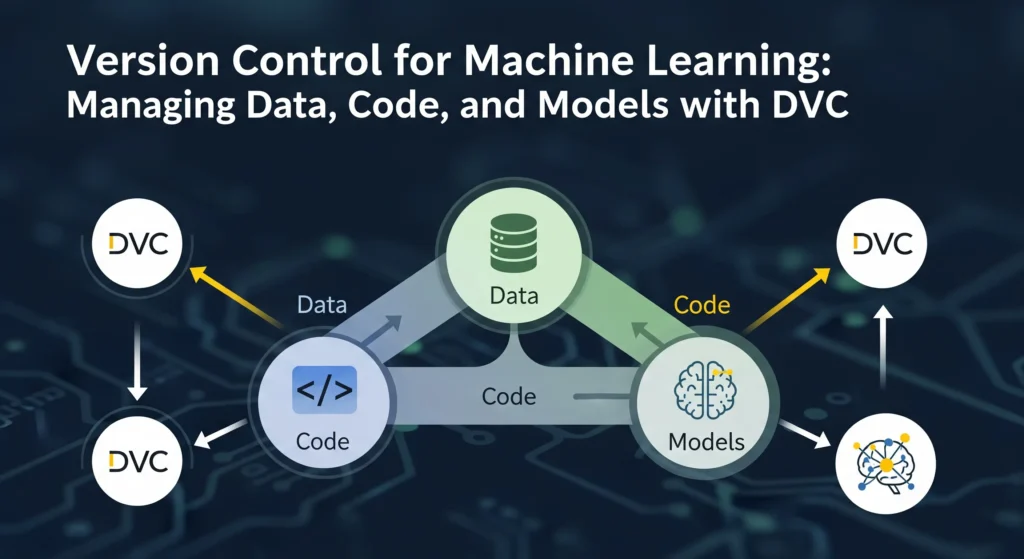
Version Control for Machine Learning: Managing Data, Code, and Models with DVC

Introduction to Version Control for Machine Learning:  Imagine that you are a data scientist who just spent three weeks training a machine learning model that got 92% of the answers right. Your group is excited. But what happens when you try to get the same results a month later? Nothing is working. The model is only 78% accurate, and no one knows why. Does this sound familiar? You’re not the only one. A huge 87% of machine learning projects never make it to production. One of the main reasons for this is that it’s hard to keep track of, reproduce, and manage the messy mix of data, code, and models. Software engineers figured out how to fix this problem decades ago with tools like Git. Data scientists have been trying to figure it out ever since. DVC, or Data Version Control, is what you need here. It’s like Git’s cool cousin who can really handle your 50GB datasets and billion-parameter models. By the end of this post, you’ll know how DVC works, why it’s important for ML teams, and how to start using it right away without having to get a DevOps degree. What’s the big deal about version control for machine learning? Let’s get to the point: why can’t you just use Git for everything? You could try, though. Git was made to keep track of text files, like your Python scripts, configuration files, and documentation. It completely stops working when you throw a 10GB image dataset or a 500MB trained model at it. There is a reason why GitHub limits files to 100MB. But here’s the thing: machine learning is not the same as regular software development. You are no longer just changing code. You’re juggling: Big sets of data that change over time (new data is collected and preprocessing steps change) Models that have been trained and are basically binary blobs that are hundreds of megabytes or more in size Experiment setups with dozens of hyperparameters Training pipelines with several steps that depend on each other Performance metrics from hundreds of tests Your results can change a lot when any of these things change. And if you can’t keep track of what changed, you can’t do your work again. That’s not good. The ML reproducibility crisis is real. Studies show that 70–85% of AI projects fail, and the main reason is problems with data. Studies have found that 648 papers in 30 different academic fields had problems with reproducibility. DVC: Git for Data Science DVC (Data Version Control) was made just for these kinds of problems. The open-source community made DVC, and now thousands of people support it. DVC builds on Git’s version control features to help with the special problems that come up in machine learning workflows. The best part is that DVC works with Git, not instead of it. DVC takes care of your data and models separately, while Git keeps your code where it belongs. It’s like having two teammates: one is great at keeping track of code changes, and the other is great at dealing with big files. How DVC Really Works The best thing about DVC is how easy it is to use. DVC doesn’t store your real data files in Git. Instead, it makes small .dvc files that point to them. These pointer files are very small, usually only a few kilobytes, and they have: A hash that is unique to your data file Details about where the real data is kept Information about the file’s metadata Git does keep track of these .dvc files. When you commit your code, you’re also committing these small pointers that say, “This version of the code used this version of the data.” The real information? That goes to a “remote storage” location, which could be Amazon S3, Google Cloud Storage, Azure Blob Storage, or even just a network drive. DVC does all the pushing and pulling of data to and from these remotes, just like Git does with code on GitHub. It’s really smart. Setting Up DVC Is Easier Than You Think DVC is really easy to get started with, which is one of the best things about it. You don’t have to be a DevOps expert or know a lot about complicated infrastructure. I’ll show you how to do it. Putting it in place First, set up DVC. If you use Python (and let’s face it, you probably do), it’s as easy as: code Bash install dvc with pip Install the right extension if you want to use cloud storage like AWS S3: code Bash pip install ‘dvc[s3]’ DVC works with many cloud providers right away, so it doesn’t matter if your team uses AWS, Google Cloud, or Azure. ` Your First DVC Task Let’s say you already have a Git repository set up for your ML project. The first step in setting up DVC is to run one command: code Bash git init # if you haven’t done it yet dvc start This makes a .dvc folder that holds DVC’s settings and cache. You should commit this initialization: code Bash git add .dvc/config and .gitignore “Initialize DVC” is what you should type in git commit. Keeping track of your first dataset Now comes the fun part: telling DVC to keep an eye on your data. Let’s say you have a folder called “data/” that has your training images in it: code Bash dvc add data/ DVC processes your data, makes a hash of it, copies it to a local cache, and makes a data.dvc file. This is the file you will send to Git: code Bash Add data.dvc and .gitignore to git. git commit -m “Add training data set” DVC automatically updated your .gitignore file to keep the actual data/ folder out of Git. That’s smart, right? Linking to Remote Storage You need to set up a remote storage space to share your data with your teammates or back it up. Here are the steps to make an S3 bucket your

Version Control for Machine Learning: Managing Data, Code, and Models with DVC Read More »

ml-lifecycle

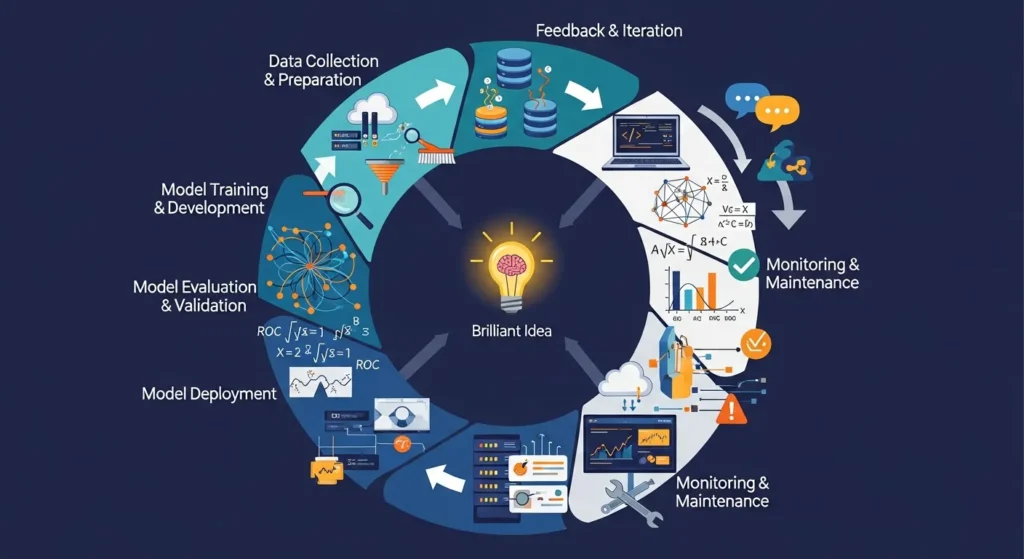
The Ultimate (Machine Learning) ML Lifecycle: From Brilliant Idea to Seamless Deployment and Beyond

The ML Lifecycle: From Idea to Deployment and Beyond Remember the last time you got a great movie suggestion on Netflix or when your phone’s camera knew exactly where to focus? That’s how machine learning works behind the scenes. But here’s the thing: those smart features didn’t just show up out of nowhere. Today, we’re going to talk about the journey they went on, which was pretty intense. People don’t just use the term “ML lifecycle” as a techy buzzword. The actual roadmap takes a simple idea like “hey, wouldn’t it be cool if we could predict customer churn?” and turns it into a working model that makes decisions in the real world. And to be honest? People only see the shiny end result, but the real magic happens along the way. In this post, you’ll learn everything about the process, from that first lightbulb moment to putting your model into use and what happens next (spoiler: it never really ends). We’ll go over each step, give you some real-world examples, and talk about the problems you’ll run into. You’ll know how ML projects work in real life, not just in theory, by the time you’re done. Seven important steps in the machine learning lifecycle shown as gears that are connected to each other What Is the ML Lifecycle?Let’s get started. The ML lifecycle is the whole process that a machine learning model goes through, from beginning to end and beyond. It’s not something you do once and forget about. It’s more like taking care of a plant. You can’t just throw seeds in the ground and leave them there. You have to water it, make sure it gets enough sunlight, cut off the dead leaves, and check on it often to make sure it’s healthy. The ML lifecycle includes everything, from figuring out what problem you’re trying to solve to planning how to solve it, gathering and preparing your data, building and training your model, putting it into production, and then keeping an eye on it and making it better. Each step builds on the one before it, and sometimes you have to go back to the beginning when things go wrong. What sets ML apart from regular software development? Well, with regular software, once you write the code and it works, you’re pretty much done. But what about ML? Because the world keeps changing, your model needs to keep learning and changing. Customer behavior changes, new trends come up, and all of a sudden, that model you trained six months ago isn’t working as well as it used to. Step 1: Figure out what the problem is and what the business goal is. Okay, this is where it all begins, and it’s probably the part that gets the least attention. It’s surprising how many teams start building models without really thinking about what they’re trying to solve. A big mistake. Putting the Problem in the Right Light You need to ask yourself, “What’s the real business problem here?” before you even think about data or algorithms. The business problem, not the ML problem. It’s not a problem to say, “We want to use machine learning.” But saying, “We’re losing 20% of our customers every quarter and need to figure out who’s likely to leave so we can do something about it” is a real problem that needs to be solved. Here’s the trick: make sure that everyone, not just the data science team, can understand it. Your stakeholders and business people all need to understand it. And the problem should be one that ML can really help with. A simple rule-based system or even better analytics can sometimes do the trick. Setting Success Metrics Once you know what your problem is, you need to know what success looks like. Is it about making things more accurate? Getting rid of false positives? Save money? No matter what it is, you should be able to measure it and connect it to business results. You can’t improve something if you can’t measure it, and you definitely can’t show your bosses that it’s worth the money. Think about whether you’re working with classification, regression, clustering, or something else entirely. Are you trying to guess categories, like spam or not spam, or continuous values, like the price of a house? This sets the stage for everything else. Step 2: Collecting and Getting Ready the Data Okay, now we’re really getting down to business. Machine learning runs on data, and if your data is dirty or low-quality, your model will sputter and die. Where do you get your data? You can get data from a lot of different places, like internal databases, third-party vendors, APIs, sensors, user-generated content, web scraping, and more. Finding trustworthy sources that really give you what you need is the most important thing. And yes, sometimes the data you need isn’t available yet, so you have to go out and make it. People don’t talk about this enough: having a variety of data is important. Your model will be biased and not work well for everyone else if your training data only includes one group of users. Make sure you see the whole picture. Cleaning and Getting Ready Data that hasn’t been cleaned up is messy. Like, really, really messy. There will be missing values, duplicates, outliers, inconsistencies, and all sorts of other problems. That’s all done during data preprocessing. You will clean it up, make sure the formats are the same, deal with any missing values (maybe by filling them in or getting rid of them), and get everything into a shape that your model can use. This step can take up to 60–80% of your time on an ML project, and that’s normal. Don’t hurry it. A model that was trained on bad data is worse than not having a model at all. Feature Engineering: The Secret Sauce This is where things get interesting. Feature engineering is the process of making new variables from your current data

The Ultimate (Machine Learning) ML Lifecycle: From Brilliant Idea to Seamless Deployment and Beyond Read More »

mlops

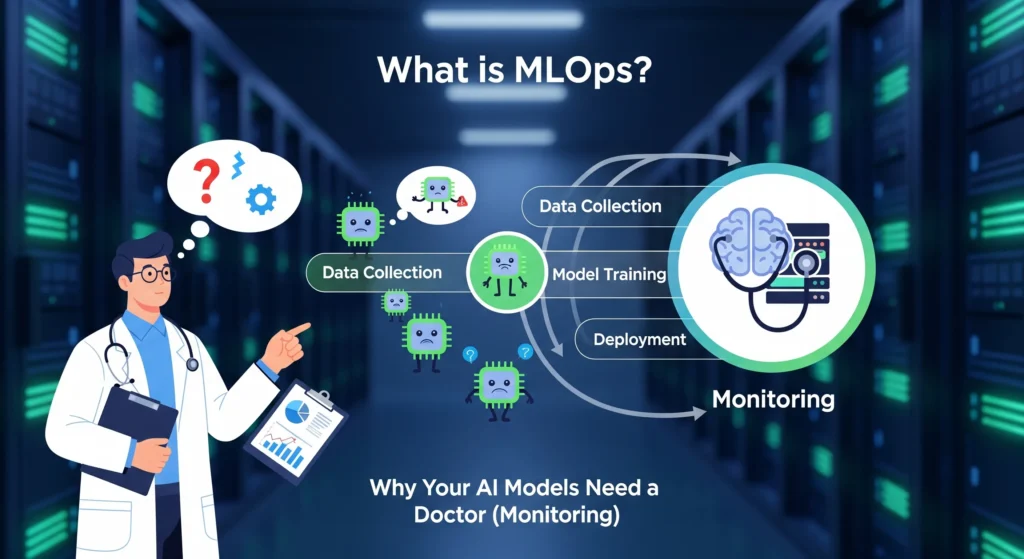
What is MLOps? Why Your AI Models Need a Doctor (Monitoring)

What is MLOps? Why Your AI Models Need a Doctor (Monitoring) You’ve built an incredible AI model. It predicts customer behavior with 94% accuracy. Your team celebrates. Six months later? That same model is making predictions so wild that your business team stopped trusting it completely. Sound familiar? You’re not alone. Here’s the kicker: 67% of AI models never even make it to production, and for those that do, 91% experience performance degradation over time. It’s like training a doctor who gradually forgets medicine. That’s where MLOps comes in—think of it as regular health checkups for your AI models. And trust me, your models need them. In this post, we’re diving deep into what MLOps actually is, why monitoring your models is non-negotiable, and how you can stop your AI from slowly losing its mind. By the end, you’ll understand exactly why your machine learning models need constant supervision (yes, just like toddlers) and what happens when they don’t get it. Let’s get started. Understanding MLOps: The Basics MLOps stands for Machine Learning Operations. If that sounds boring, stick with me—because what it does is anything but. Think of MLOps as the bridge between building cool AI models in notebooks and actually using them in real businesses. It’s what happens after the data scientist says “my model works!” and before customers actually benefit from it. Here’s the simple version: MLOps combines machine learning (the AI part), software engineering (the building part), and data engineering (the data part) into one smooth workflow. The term was actually coined back in 2015 in a research paper about “hidden technical debt in machine learning systems”. Turns out, building models is the easy part. Keeping them working? That’s the challenge. What MLOps Actually Does MLOps isn’t just one thing—it’s a whole set of practices that cover the entire life of your machine learning model. From the moment you collect data to train your model, all the way through deployment and continuous monitoring, MLOps keeps everything running smoothly. The ML lifecycle typically includes these stages: Data Collection and Preparation – Gathering and cleaning data so it’s actually usable Model Training and Testing – Building your model and making sure it works Model Deployment – Getting your model into production where real users interact with it Model Monitoring – Watching how your model performs over time (this is the crucial part everyone forgets) Model Updates and Improvements – Retraining and updating when performance drops ` Before MLOps existed, each of these steps was manual, slow, and prone to breaking. Data scientists would build amazing models on their laptops, then hand them off to engineering teams who had no idea how to deploy them. Weeks (or months) would pass before anything actually worked in production. MLOps automates all of this. It creates assembly lines for machine learning, turning what used to take months into days or even hours. MLOps vs DevOps: What’s the Difference? You’ve probably heard of DevOps. So is MLOps just DevOps with a fancy ML twist? Not quite. While MLOps builds on DevOps principles, they’re solving different problems. DevOps focuses on shipping software applications quickly and reliably. MLOps? It’s all about shipping and maintaining machine learning models, which are way more complicated. Here’s why ML models are different animals: They’re data-centric, not just code-centric. A software application is basically a set of instructions. An ML model is those instructions plus the data it learned from plus the statistical relationships it discovered. Change the data, and the whole model might need retraining. They drift over time. Your web application doesn’t suddenly start performing worse because the world changed. Your ML model absolutely does. Customer behavior shifts, markets evolve, and suddenly your fraud detection model is missing new types of fraud. Artifacts are dynamic, not static. In DevOps, you version your code and configuration files. In MLOps, you also need to version datasets, model parameters, experiment results, training configurations, and the actual trained models themselves. It’s version control on steroids. Testing is different. In DevOps, you test whether your code works. In MLOps, you test whether your model is accurate, whether it’s biased, whether the data has drifted, whether predictions are stable, and a dozen other things. Think of it this way: DevOps builds the car. MLOps builds the self-driving system inside the car—which needs constant updates as roads change, traffic patterns shift, and new obstacles appear. The good news? MLOps borrows the best practices from DevOps—like continuous integration, continuous deployment (CI/CD), and automated testing—then extends them to handle the unique challenges of machine learning. The MLOps Pipeline: How It All Works Okay, so how does this all fit together in practice? An MLOps pipeline is the automated workflow that takes your model from training to production. Instead of manually copying files and crossing your fingers, you build a system that handles everything automatically. Here’s what a typical MLOps pipeline looks like: Stage 1: Data Collection and Validation First, you need data. But not just any data—clean, validated, high-quality data. The pipeline automatically collects data from databases, APIs, or files. Then it runs validation checks: Are there missing values? Outliers? Does the data distribution look normal? If something’s wrong, the pipeline alerts you before wasting time training a bad model. Tools like Apache Airflow can schedule these data collection tasks to run automatically. Stage 2: Model Training and Experiment Tracking Once your data passes validation, the pipeline trains your model. But here’s where MLOps shines: it tracks everything. Every hyperparameter you tried. Every accuracy score. Every version of the model. Tools like MLflow and Neptune keep detailed logs so you can compare experiments and pick the best model. Stage 3: Model Testing and Validation Before deployment, automated tests check if the model meets your performance standards. Is accuracy above your threshold? Does it handle edge cases? Is there bias in predictions? If the model fails these tests, it doesn’t move forward. No more “oops, we deployed a broken model to production.” Stage 4: Automated Deployment Once

What is MLOps? Why Your AI Models Need a Doctor (Monitoring) Read More »

ai-native

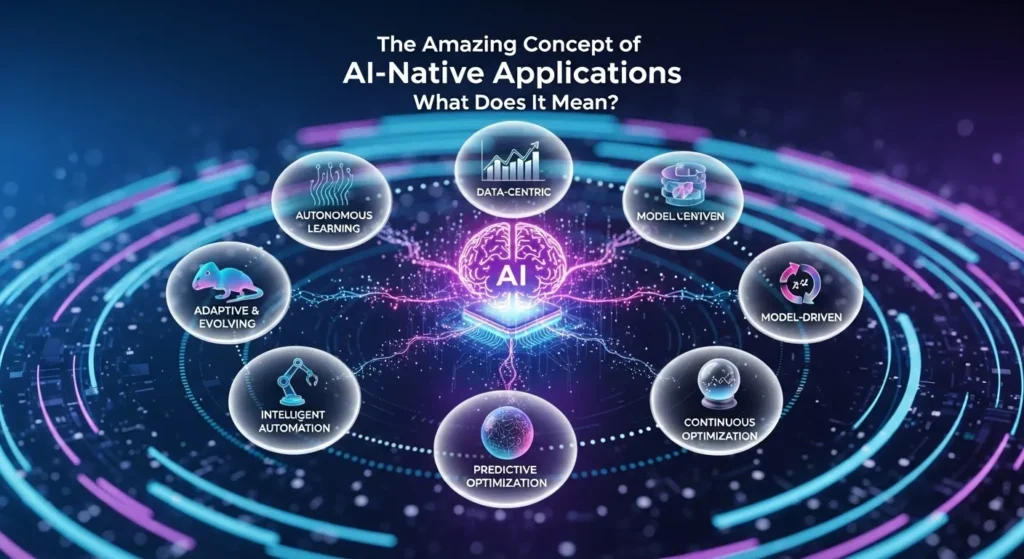
The Amazing Concept of AI-Native Applications: What Does It Mean?

What Does It Mean for an App to Be “AI-Native”? You’re not the only one who has heard the term “AI-native” and wondered if it’s just another tech buzzword. But here’s the thing: this idea is changing how we think about software, and it’s not just adding AI features to an app that already exists. Let me break this down for you. What’s the Big Deal with AI-Native? Think about the apps you use the most. They probably just added AI features, like a chatbot here and some smart tips there. That’s great and all, but it’s not AI-native. A program made for AI is very different. It’s not just an extra feature; AI is the main part. Imagine how different it would be to add modern features to an old house instead of building a new one that is made for how people live today. That’s the area we’re talking about. AI isn’t just a part of the app; it’s what makes it work. That’s what makes it really AI-native. Without the AI, the app wouldn’t be there. As an example, take a look at Perplexity. There is no product without the AI. The AI writes its own answers to every question; there are no human writers. AI-Native and AI-Enabled: They’re Not the Same A lot of people get confused here, so let’s make it clear. Apps that use AI (the “Bolt-On” way) Apps that use AI are like regular apps that worked out and got better. You take something that already works and add AI to it to make it better. It’s not a revolution; it’s a change. Characteristics: Adding AI improves features that are already there. The main product works well without AI. Most of the time, it uses AI tools that other people made. Changes happen slowly and with care. AI-enabled means that companies like Shopify are using AI to make it easier to set up a store, and Duolingo is using AI to make lessons smarter. They are improving things that already work. AI-Native Apps (Built from the Ground Up) AI-native thinking is the “start from zero” way of thinking. The product exists because AI can do things that nothing else can. What sets them apart: Learning Core: The system learns and changes all the time based on real data. Dynamic Interfaces: The UI changes to fit your needs, not a menu that stays the same. Autonomous Features: The app does things for you without you having to ask. Personalization at Scale: Each user has a different experience without having to do anything. People are searching differently because of Perplexity, creative work is now available to everyone thanks to Midjourney, and Jasper is making brand voice bigger. All of these are made with AI. The machine is the AI, not the other way around. Examples from Real Life That Make Sense Let me show you how this works in the real world. The Art Machine: Midjourney With only 11 employees, Midjourney makes more than $200 million a year. Yes, you read that right: 11 people. How? When a user tells their AI to do something, it learns more about art. Every new image it makes makes the system better for everyone. Try that with real artists. Perplexity: A Different Way to Look Perplexity has fewer than 40 employees and 40 million users every month. It doesn’t show you ten blue links like Google does. Instead, it gives you answers to your questions that are unique to you. More people search, which leads to better answers, which brings in more people. It keeps going around and around. Cursor AI: What the Developer Wants Anysphere made Cursor AI, which was worth $2.6 billion and got $105 million in January 2025. Why? It’s not just a tool for finishing code; it’s an AI-powered code editor that learns from all of your code and makes suggestions for how to fix problems based on your specific situation. The Structure That Makes It Work You can’t build AI-native apps in the same way that you build regular apps. The whole stack is different. The Main Parts Unified Compute Infrastructure: You need hardware that can handle both regular processing and AI workloads at the same time. CPUs, GPUs, and DPUs should work together instead of fighting for resources. AI Integration Across Layers: The intelligence isn’t stuck in one place. It’s in every part of the app, from how data moves around to how people use it. Self-Improving Systems: Over time, static apps get old. AI-native apps learn from every interaction on their own. No need to do it by hand. Processing in Real Time: People want answers right away. AI-native apps process everything on your device when they can, which speeds things up and keeps your data private. The Data Game People don’t talk about this enough: AI-native companies handle data in a different way from the start. They don’t add analytics after the fact. The whole system is supposed to always gather, analyze, and learn from data. What are traditional companies? They usually have to deal with broken systems, which makes it hard to combine data before they can even think about AI. Why Startups Are Going All In The numbers are pretty insane. AI-native startups made more than $15 billion a year in May 2025. And here’s another thing: 47% of AI-native companies have reached a certain size and shown that their products work in the market. Only 13% of businesses that make AI-enabled products have done this. The Unfair Advantages Do you remember that Midjourney had 11 employees? They served millions without hiring anyone. That’s the secret. AI systems do the work of hundreds of people, and each person is in charge of one. All customer requests, quality checks, and technical support are handled automatically. No extra work for custom experience: Traditional businesses have to choose between scaling and personalizing, which is not possible. Companies that are native to AI said “no” and did both. Perplexity gives each

The Amazing Concept of AI-Native Applications: What Does It Mean? Read More »

ai-and-personalization

AI and Personalization: Will Every Website and Game Be Unique to You?

Introduction To AI and Personalization:-  Imagine this: You open your favorite game, and the world within it isn’t randomly generated—it’s crafted specifically for you. The enemies are aware of your strategies. The story shifts based on your decisions. Even the difficulty adjusts to ensure you’re never bored. Then you hop onto a website, and it doesn’t resemble anyone else’s. The colours, products, and content morph as the site discerns your preferences, what you’ve engaged with, and perhaps even your current mood. Sounds like science fiction, right? What if it’s already happening? Personalization, powered by AI, is revolutionising how we interact with the digital world. From Netflix instinctively knowing your next binge-watch to video games evolving with your playstyle, we’re entering an era where systems learn from every click, pause, and interaction. The critical question, however, is whether this is the future where all websites and games become entirely individualised. And if so, what does that mean for us? Let’s dive into how AI is making all this possible, why it’s so impactful, and whether we should be excited or a little apprehensive. Why Personalization Is Taking Over First, why is everyone so obsessed with personalization? The answer is simple: it works. And we’re not talking about a slight uptick in engagement. The numbers tell a compelling story. Companies leveraging AI-driven personalization report an average 20% growth in sales revenue. Individualized product recommendations now account for 35% of all e-commerce earnings. Think about that: one-third of your online shopping experiences are the result of an intelligent algorithm suggesting something you genuinely wanted. That’s not coincidental—that’s AI learning your online persona and making informed predictions about what you’ll love. It’s more than just selling products. AI is projected to drive 95% of all customer interactions by 2025. We’re in an era where personalized websites generate 40 times more revenue per visit than non-personalized ones. Conversion rates can increase by up to 15% as AI subtly adjusts content, offers, and calls-to-action based on who’s viewing. The ultimate twist is that 80% of consumers are more inclined to purchase from brands that offer personalized AI experiences. Businesses aren’t just willing to personalize; as consumers, we now demand it. Visiting a site that treats you as just another random visitor feels archaic. Netflix, Spotify, and Amazon have set the standard, and we expect that tailored experience everywhere. The Personalizing of Websites So, how are websites becoming a one-on-one affair? It works its magic through concepts like adaptive content and real-time personalization. Think of adaptive content as a chameleon. The website’s “colors” shift, both literally and figuratively, depending on who’s viewing it. It’s not just about showing different products to different people. It involves tweaking headlines, images, layouts, CTAs (those “buy now” buttons), and even the subtle tone of the text. All of this happens in a flash, as you scroll. The essence of real-time content adaptation is interpreting user behavior in the moment. If you linger on a particular product, the site takes notice. It might display different content if you visit late at night compared to midday. Secret Escapes, a travel company, exemplifies this brilliantly. If you search for “spa retreats” and click their ad, you’re directed to a spa-oriented page, not a generic travel deals page. This strategy led to a 26% increase in sign-ups. Then there’s the data component. Websites collect data about your IP address (your location), cookies (your past visits and preferences), and your on-site behavior (how long you spend on pages, how far you scroll, what you click). All this data is fed into AI within milliseconds, determining which version of the site you should see. Some businesses are pushing this to incredible extremes. AI platforms like Fibr AI can generate thousands of 1:1 personalized landing pages at scale. Imagine an ad campaign where every single person who clicks sees a completely different page, custom-designed to match them. This isn’t the future; this is happening today. Playing Games Goes Personal (And Freaky Smart) If websites are going personal, games are taking it to a whole new level. The role of AI in games has moved beyond enhanced graphics and smarter enemies. It’s about crafting experiences that literally evolve with you as a unique player. Dynamic Difficulty Adjustment Ever felt like some games get harder or easier when you’re doing well? That’s Dynamic Difficulty Adjustment (DDA) at work. Games like “Resident Evil 4” use this to track your performance in real-time. If you’re breezing through levels, the game cranks up the difficulty—more enemies, tougher battles, fewer resources. Struggling? The game might ease up a bit to keep you from getting frustrated. This concept is pushed even further with the AI Director system in “Left 4 Dead.” This isn’t just difficulty adjustment; it orchestrates the entire pace of the game. It decides when to unleash hordes of zombies, where to place health packs, and how aggressive each encounter should be. The result? No two playthroughs are ever alike, keeping you on the edge of your seat. In “Crash Bandicoot,” adaptive level design literally modifies level layouts based on whether you keep dying at a certain point. Fail too many times? The game might introduce extra checkpoints or reduce obstacles. Crushing it? Be ready for additional challenges. Procedural Content Generation Next up is procedural generation—where AI conjures worlds, levels, and storylines on the fly. The most famous example is probably “No Man’s Sky.” The game boasts billions of unique planets, each with diverse ecosystems, creatures, and challenges, all generated by AI algorithms. You could play for years and never encounter the same planet twice. “Minecraft” operates on a similar principle. Every world starts with a “seed” (a random number), and AI uses this to generate the terrain, caves, biomes, and structures. The amazing part is that two players with the same seed will get virtually identical worlds, but change one number, and you’ll have something entirely different. It’s as if the game has an infinity of universes encoded within it, and

AI and Personalization: Will Every Website and Game Be Unique to You? Read More »

generative-ai-for-3d-worlds

Generative AI for 3D Worlds: Building Assets for the Metaverse

Introduction to the Generative AI Revolution in 3D Worlds You are in the right place, especially if you are a developer, game creator, or just curious about how virtual worlds are created. This article dissects all that you need to know about AI-driven 3D asset generation, such as the technology behind it and the tools you can begin to use today. We will discuss how companies such as NVIDIA, Meta, and Shutterstock are transforming the game and what this implies for the future of the metaverse. What is Generative AI of 3D Worlds? Let’s start simple. Generative AI for 3D worlds refers to generative artificial intelligence (AI) systems that are capable of automatically generating three-dimensional (3D) digital objects, characters, environments, and whole virtual spaces. You no longer need to employ a team of 3D artists to hand-sculpt each tree, building, or character, but can now tell the AI what you want in plain English—even provide a picture—and have it created on your behalf. Imagine it this way: recollect that we used to make pictures by hand, only? Then came cameras. Then photo editing software. We now have AI that can create novel images independently. This same evolution is taking place in 3D. The metaverse—the interdependent virtual worlds in which individuals socialize, play games, work, and shop—requires large volumes of content. It is no longer viable to make all that content the old-fashioned way. And here is where generative AI comes in as the final productivity tool. Why This Matters Right Now The timing couldn’t be better. The metaverse generative AI market is booming all over the world. It is estimated to be worth approximately $40 million in 2023. By 2033, analysts estimate it will reach an astronomical $611 million—that is an increase of more than 31 percent annually. Projected Growth of the Metaverse Generative AI Market Year Market Value (Millions USD) Annual Growth Rate (%) 2023 40 – 2033 611 31+ Yet, here is where it gets really interesting: conventional 3D modeling is challenging. Software such as Blender or Maya takes years to learn. You should get to know such intricate terms as UV mapping, polygon topology, and physically-based rendering. Using AI tools, a person with no previous 3D experience can produce production-quality assets in only a few minutes. Not only is that convenient, it is democratizing. It implies that indie game makers, small corporations, and creative people can compete with large studios. The Magic: The Technology The question is how this works. It is time to lift the hood but not to be overly technical. Text-to-3D Generation Text-to-3D is the most popular one at the moment. You enter a query such as “a medieval wooden table with elaborate carvings” and the AI renders you a 3D model of such a table. The simplified process is as below: Step 1: Understanding Your WordsThe AI uses natural language processing (NLP) to understand what to do. It determines significant objects (table), substances (wooden), styles (medieval), and characteristics (intricate carvings). Step 2: Multiple ViewsAdvanced diffusion models create many 2D images of your object from various angles. This makes the end 3D model appear nice in all directions. Step 3: 3D Geometry ConstructionAn AI involves methods such as signed distance functions (SDFs) or neural radiance fields (NeRFs) as the means of creating the actual 3D form. Imagine it as carving in digital clay, except that it works automatically. Step 4: Textures and MaterialsSet featured imageThe system uses real-world textures, colors, and material characteristics such as the look of something being metallic or matte. This involves the use of materials referred to as physically-based rendering (PBR). Step 5: OptimizationLastly, the model is optimized to ensure that it performs well in game engines and can run well on various machines. The Artificial Intelligence Bots Driving this Revolution This is made possible by a number of AI architectures: Generative Adversarial Networks (GANs): These systems are made of two competing AI systems. One designs 3D models and the other evaluates the models. It is through this competition that the quality continues to improve. Variational Autoencoders (VAEs): These are trained to shrink objects in 3D into simple codes and re-create them with variations. Diffusion Models: The most popular at the moment. Their beginnings are random noise, which is gradually honed into a meticulous 3D object. Imagine it as an artist beginning with crude drawings and elaborating them as they go. Transformers: The same technology that enables ChatGPT is now applied to 3D generation, which aids the AI in comprehending complex relations between various components of an item. The Large Powers and their Instruments NVIDIA: Leading the Charge NVIDIA has been pulverizing it with a number of ground-breaking technologies in this space. Their major splash was GET3D. Published in 2022, GET3D creates 3D textured shapes directly out of 2D images. What makes it special? It generates meshes of correct topology, i.e., the 3D models are not only pretty to view but are in fact useful in applications and in games. In a single NVIDIA card, GET3D is capable of generating 20 shapes in a second. It is madness considering the fact that a single asset in traditional modeling could take hours. Their more recent and stronger system is NVIDIA Edify 3D. Edify 3D, announced in 2024 and refined in 2025, can produce production-ready 3D assets in less than 2 minutes. It generates cleaner and simpler to edit quad meshes, 4K textures, and has built-in physical-based rendering. What is even more interesting is that Edify is based on a multi-view diffusion method. It can make multiple perspectives of what you desire at various angles and, through a transformer-based reconstruction model, it can integrate these perspectives to create a fully 3D object. This provides uniformity—no strange artifacts when the back does not match the front. Shutterstock/NVIDIA Partnership Later in mid-2024, Shutterstock collaborated with NVIDIA and introduced the first ethical generative 3D API. This service is developed as an NVIDIA Edify implementation that is solely trained on the Shutterstock library (more than

Generative AI for 3D Worlds: Building Assets for the Metaverse Read More »

curating-your-ai-toolkit

Curating Your AI Toolkit: How to Choose the Right Software

Introduction To Curating Your AI Toolkit: How to Select the Right Software (Without Losing Your Mind) Tired of feeling overwhelmed by the endless parade of “game-changing” AI tools? You’re not alone. Every day brings a new platform, a new product release, and a fresh wave of enthusiastic endorsements on LinkedIn. This leaves you with one pressing question: Which AI tool do I actually need? Here’s the truth nobody talks about: Choosing AI tools isn’t about finding the “best” one. It’s about finding the right combination for your unique situation. Think of curating your AI toolkit like assembling a custom toolbox. You wouldn’t just cram every tool imaginable into it, would you? Instead, you’d carefully select the ones that effectively address your specific needs, fit your budget, and work harmoniously together. Before diving into the vast ocean of AI, take a moment to understand the landscape. Step 1: Identify Your Pain Points (Before You Even Look at a Tool) Forget the hype for a moment. What specific, time-consuming, or frustrating tasks are you dealing with right now? What are your biggest bottlenecks? Example Pain Points: Content Creation: Struggling to generate blog post ideas, write engaging social media captions, or design eye-catching visuals. Workflow Automation: Spending too much time on repetitive tasks, manual data entry, or connecting disparate software. Data Analysis: Overwhelmed by raw data, unable to extract actionable insights, or struggling to visualize trends. Customer Interaction: Slow response times, inconsistent answers, or a lack of personalized customer support. Coding & Development: Repetitive coding, debugging, or needing to build applications without extensive coding knowledge. The clearer you are about your problems, the easier it will be to find solutions. Step 2: Explore AI Tool Categories (Know What’s Out There) Once you’ve pinpointed your pain points, you can start to see how different AI categories might offer solutions. Here’s a breakdown of common categories and examples: For Content & Communication: Writing Assistants (e.g., ChatGPT, Jasper, Copy.ai): Generate text, brainstorm ideas, rephrase content, and improve grammar. Visual Content Generators (e.g., Midjourney, DALL-E, Canva AI): Create images, illustrations, and design elements from text prompts. Meeting Assistants (e.g., Fireflies, Otter.ai): Transcribe and summarise meetings, identify action items. For Workflow & Productivity: Automation Platforms (e.g., Zapier, Make, n8n): Connect different tools and automate repetitive tasks across your applications. Project Management (e.g., Asana, ClickUp with AI functionality): Enhance task allocation, planning, and progress tracking with AI insights. For Technical Folks (Coding & Development): Code Assistants (e.g., GitHub Copilot, Cursor, Aider): Provide AI-powered code suggestions, complete lines, and find bugs. No-code Builders (e.g., Bubble, Webflow with AI): Enable users to create applications and websites without writing code, often with AI assistance for design and functionality. For Business Intelligence (Data-Driven Decision Making): Analytics Services (e.g., Tableau, Power BI): Offer AI-powered data visualization and reporting to uncover trends and insights. Predictive Tools (e.g., DataRobot, Akkio): Utilize AI to predict future trends, customer behavior, and business outcomes. You don’t need tools from every category. Select the ones that directly address your pain points identified in Step 1. Step 3: The Real Decision Factors (Beyond the Marketing Hype) Now that you understand the categories, how do you choose between specific tools? These are the crucial factors to consider when evaluating AI software: Factor 1: Ease of Use vs. Power There’s always a trade-off here. More powerful tools often come with a steeper learning curve. Feature Low-code/No-Code Tools Advanced Platforms Ideal When You lack technical knowledge, need fast results, prioritize simplicity. You have a technical team, need custom solutions, want fine-grained control. Example Users Small business owners, marketers, non-technical users. Developers, data scientists, large enterprises. Own up to your team’s skills. A powerful weapon no one can decipher is useless. Factor 2: Interoperability With Your Existing Stack This is massive and frequently neglected. An AI tool that doesn’t integrate with your other software will likely create more work, not less. Determine whether the tool integrates with: Your project management system (Asana, Notion, ClickUp) Communication tools (Slack, Teams) Your CRM (Salesforce, HubSpot) File storage (Google Drive, Dropbox) Other tools you use daily Look for platforms with strong APIs and ready-made integrations. The smoother the integration, the higher the adoption rate. Factor 3: Scalability (Planning for Growth) What works for 5 individuals may fail for 50. What can handle 100 queries a month might crumble under 10,000. Ask these questions: What happens to your data volume as it increases? Can you add more users seamlessly? Does it have a clear upgrade path? Will you encounter sudden price hikes at a certain usage level? Choose tools that will grow with you, not ones you’ll have to replace in six months. Factor 4: Data Privacy and Data Security This is non-negotiable, especially when dealing with sensitive information. Critical security questions: Where is your data stored? Who can access it? Is it used to train AI models? Does the tool comply with industry standards, CCPA, or GDPR requirements? Can you easily export and erase your information? Does it offer on-premise or private cloud options for maximum control? Free AI tools often lack the robust privacy features of paid enterprise versions. Always read the fine print. Factor 5: ROI and Cost Structure AI tool prices are all over the map. You’ll see: Freemiums (e.g., ChatGPT, Notion): Basic features are free, advanced features require payment. Subscription Tiers: Monthly or annual subscriptions with varying feature sets. Usage-based: Pay per API call, token, or generation (e.g., OpenAI API). Per-user: Prices change based on team size. Enterprise Custom: Tailored contracts for large organizations. Calculate the true ROI by considering: Subscription cost Time saved (X hours saved x your hourly rate) Revenue generated (if applicable) Training and implementation costs Support and maintenance requirements An application that saves 40 man-hours of work a month (valued at $2,000+ by most companies) and costs $500/month to operate has an excellent ROI. Factor 6: Vendor Support and Stability AI startups are popping up everywhere. Some will thrive. Others will disappear next year. Look for: Established vendors with solid

Curating Your AI Toolkit: How to Choose the Right Software Read More »